Options
Options Section
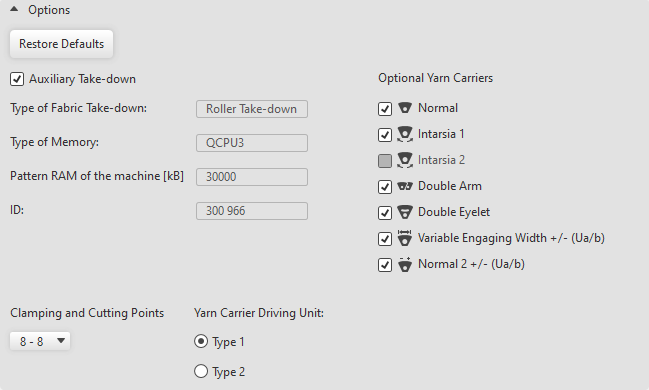
Make the following settings in the Options section:
|
Restore Defaults |
Resets the settings of the Options section to the default values. This option is only available in the Machine Attributes tab, but not in the Select Machine dialog box. |
|
|
The auxiliary take-down is activated. |
|
Type of Fabric Take-down: |
Shows the type of fabric take-down: Roller Take-down or Belt Take-Down. |
|
Type of Memory: |
Shows the type of memory. |
|
Pattern RAM of the machine [kB] |
Shows the memory capacity of the main memory. |
|
ID: |
Shows the machine ID's. |
|
Clamping and Cutting Points |
Select quantity of clamping and cutting points. |
|
Optional Yarn Carriers |
Select the type of yarn carrier for the selected machine. The following options are available depending on machine type:
|
|
Yarn Carrier Driving Unit: |
Determine the type of yarn carrier drive of the machine. The Intarsia yarn carrier type has to match with the drive type. |