Step by Step to Pattern-4
Multi-system knitting by multiple system colors
Related to an individual pattern, it may be necessary to enlarge the number of yarn carriers per color in order to increase its productivity
Depending on the machine, you can use up to 6 yarn carriers for one individual color.
 : Presetting of Create Plus is one yarn carrier per color.
Create multiple system colors:
- A pattern project with one pattern and the desired settings is created.
- 1
- Open the tool window in the Pattern Colors tool window with
 Multiple System Colors.
 - The tool window is displayed.
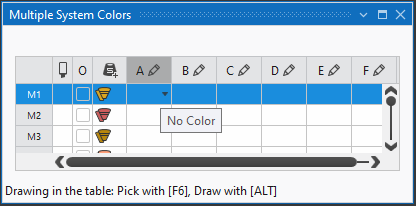
- 2
- Select the desired multiple system color under M1 (Multiple system color 1) in the A to F columns.
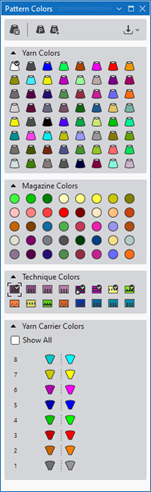
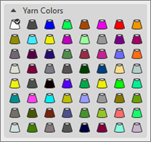
Yarn Colors
- or –
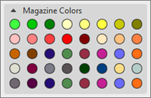
Magazine Colors
- or –
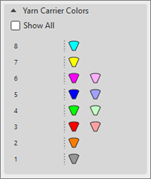
Yarn Carrier Colors - 3
- Allocate the color depending on the selected type of machine (system count).
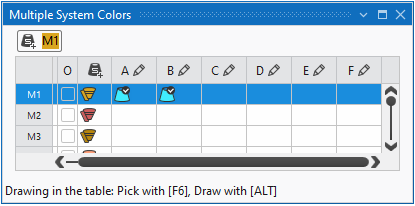
- The automatically generated multiple system color is displayed in the column under M1.
|
|
|
|
For drawing the design pattern, with it several yarn carriers may be necessary for each yarn color.
| |
|
For drawing the design pattern, with it one yarn carrier is used for each magazine color.
| |
|
Draw the pattern by yarn colors or magazine colors in order to get common yarn carrier home positions (order related data) for all the pattern within the order. | |
|
For drawing the design pattern, with a yarn carrier already positioned on the corresponding rail for each yarn carrier color in use.
Result:
You can change a yarn carrier home position by re-drawing with another yarn carrier color or by the Exchange Yarn Carrier Colors dialog box. | |
|
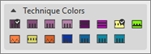
Technique Colors for creating or changing technical modules.
|



 :
:
: The maximum quantity of yarn carriers per color is 6 yarn carriers.
This means that it is possible to knit with a maximum of 6 yarn carriers (= 6 systems) in one area.
- 4
- If necessary change the color in the column via the

 menu.
menu. - 5
- Position the cursor in the 1st column with the M1 label.
- 6
- Open the context menu and select the desired system sequence:
- Uniform System Sequence
- Optimized System Sequence
- 7
- In the
 column, select the M1 entry to draw.
 - 8
- Close the tool window.
- 9
- Select the All Pattern Colors at Front and Rear setting in the
 status bar to draw the colored stripes.
 - The basic pattern will shown by Yarn Colors / Magazine Colors / Yarn Carrier Colors.
- 10
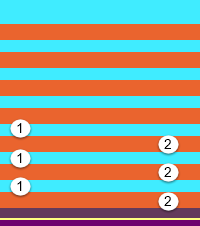
- Draw-in the selected multiple system color into the desired rows of the design pattern.
|
|
1 |
Area with 1 yarn carrier = by one system |
|
2 |
Area with 2 yarn carriers = by two systems | |
|
| ||
- 11
- If necessary, open the Yarn Carrier View via
 Yarn Carriers in order to position the yarn carriers on the rails.
 - 12
-
 Start Technical Processing:
-
 Show symbol view after Technical Processing.
- 13
- Generate
 Sintral.
 - 14
- Start the
 Sintral Check.
 - 15
-
 Extract the knitting program.
 - A program for the knitting machine will be created: CMS530.Pattern-4.zip.
- Load knitting program into the machine.
 : The extracted file CMS530.Pattern-4.zip can be loaded onto the machine with an USB stick or via Ethernet.