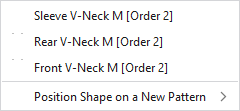
Context menu on the shape
|
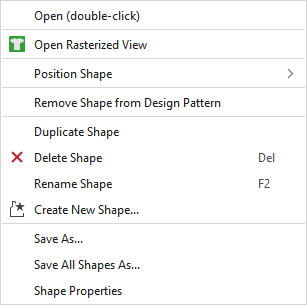
Open (double-click) |
Opens the shape. |
|
Position Shape |
Positions the shape on an available or a newly created pattern. |
|
Remove Shape from Design Pattern |
Removes the shape from the design pattern. |
|
Duplicate Shape |
Duplicates the shape. |
|
|
Deletes the shape. |
|
Rename Shape |
Rename the shape. |
|
Save As... |
Saves the shape in any file. |
|
Save All Shapes As... |
Saves all the shapes in any file. |
|
Properties |
Opens the window with the shape properties. |