Step by Step to 'Pattern-13'
- Copy the 'Pattern-12' pattern project and rename it.
- With it, the shape is copied as well.
- 1
- Open the tool window Plating Colors with
 in the Pattern Colors tool window.
 - 2
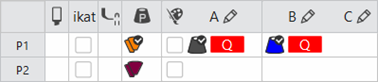
- Create a plating color in line P1 of the Plating Colors tool window:
- In column A:
- The used yarn color #2
- The
 symbol via the
  selection menu for the weft yarn carrier 1
 - In column B:
- The additional yarn color e.g. #3
- The symbol via the selection menu for the weft yarn carrier 2
- 3
- Select the
 CA tab of the tool window.
 - 4
- Open the existing Color Arrangement.
- 5
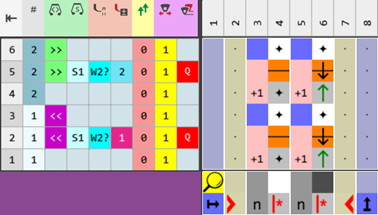
- Make the desired changes:
- Changes in the processing area:
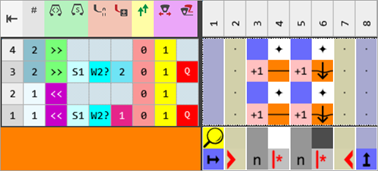
- In the technique rows 2 + 5, overwrite the entered yarn color with the plating color P1.
- Modifications in the control column:
 Yarn Carrier Correction (YC / YCI) control column:
 : To control the weft yarn carriers, as this is not possible by assigning a plating offset!
You specify the insertion position in the Pattern Parameters
tool window -> Yarn Carriers -> Yarn Carrier Correction (YC / YCI) tab.
in the Pattern Parameters
tool window -> Yarn Carriers -> Yarn Carrier Correction (YC / YCI) tab.
|
Color Arrangement CA1 |
|
|
|
Variant CA1 |
|
|
Control Columns:
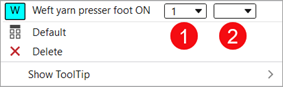
 W Presser Foot (weft yarn presser foot)
 E Presser Foot (knitting-in presser foot)
: These control columns can be used in the design pattern and in the Color Arrangement editor as well.
Control Column | |
| |
1 | Selection of the presser foot type mounted to the machine Example:
|
2 | Switch W presser foot on
|
| |
Control Column | |
| |
1 | Selection of the presser foot type mounted to the machine |
2 | Activate the E presser foot
|

| System 1 | The E presser foot is activated | Result: The presser feet collide. |
System 2 | The W presser foot is activated | ||
| System 2 | The E presser foot is activated | |
System 3 | The W presser foot is activated | ||
| System 1 | The E presser foot is activated | Result: Presser foot collides with weft yarn carrier |
System 2 | W yarn carrier active | ||
| System 2 | The E presser foot is activated | |
System 3 | Weft yarn carrier active |
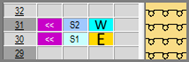
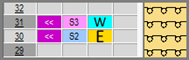
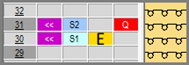
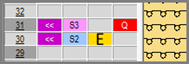
Activating the Presser Feet
Attention!
Presser feet at front and rear must not be activated at the same time, otherwise they will collide.
These unallowed combinations will be detected by the technical processing and the processing will be canceled.
Needle actions for the weft yarn:
Needle Action | Meaning |
|---|---|
| The yarn carrier (weft yarn) runs before the knitting system with which transferring to the back over the weft yarn is performed. |
| The yarn carrier (weft yarn) runs before the knitting system with which transferring to the front over the weft yarn is performed. |
| The system that precedes the weft yarn transfers the stitches to the front. The yarn carrier (weft yarn) runs before the knitting system with which transferring to the back over the weft yarn is performed. |
| The system that precedes the weft yarn transfers the stitches to the rear. The yarn carrier (weft yarn) runs before the knitting system with which transferring to the front over the weft yarn is performed. |
| The yarn carrier (weft yarn) runs before the knitting system which raises needles of the front needle bed without a yarn carrier over the weft yarn. The front stitch is cast-off. In contrast to transferring, the opposite needle is not driven out for receiving. |
| The yarn carrier (weft yarn) runs before the knitting system which raises needles of the rear needle bed without a yarn carrier over the weft yarn. The rear stitch is cast-off. In contrast to transferring, the opposite needle is not driven out for receiving. |
| |


Apply the symbols for the weft yarn in the Color Arrangement:
- Insert a for the weft yarn carrier into the
 Plating Offset (YPI) control column.
Symbol | Meaning |
|---|---|
| Possible definition for a yarn carrier as weft yarn carrier
|
Working with Yarn Carrier Corrections in CA:
- The Color Arrangement is opened.
- 6
- Display the Yarn Carrier Correction (YC / YCI) control column.
- 7
- Open the context menu with RMB.
- 8
- Select the desired YCI index e.g. YCI1 and enter it in the control column.
- 9
- Open the context menu with RMB and select Show in Table.
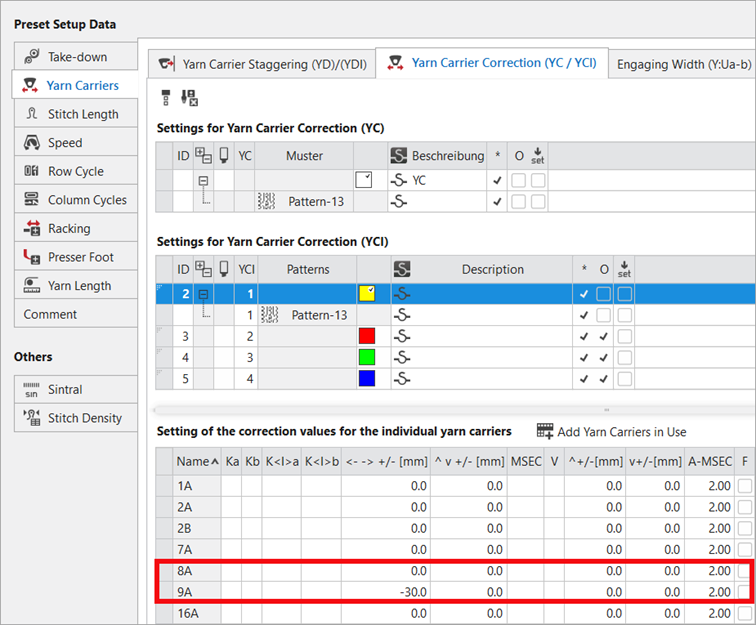
- Pattern Parameters
tool window / Yarn Carriers tab / Yarn Carrier Correction (YC / YCI) section
|
- 10
- Enter a negative value for yarn carrier 9A into the column.
- The yarn carrier 9A therefore runs in front of the yarn carrier 8A by the value of -30 mm.
- 11
- Close the Color Arrangement.
- 12
- Check the generated Color Arrangement on correct entries with the
 Check button.: The knitting procedure cannot be checked!
 - 13
- Enter the created Color Arrangement via the control column from the 3rd pattern row into the remaining pattern rows in the design pattern.
- 14
- Select an existing shape from the
 Shapes tab of the tool window.
 - 15
- Position the shape on the
 Design Pattern.
 - 16
- If necessary, make the desired settings in the
 Yarn Carriers tool window.
 - 17
- If desired, make the desired presets in the following control columns:
- Stitch Length (NP)
- Main Take-down (WMF)
- Speed (MSEC)
- 18
- Carry out all the steps of processing.
|
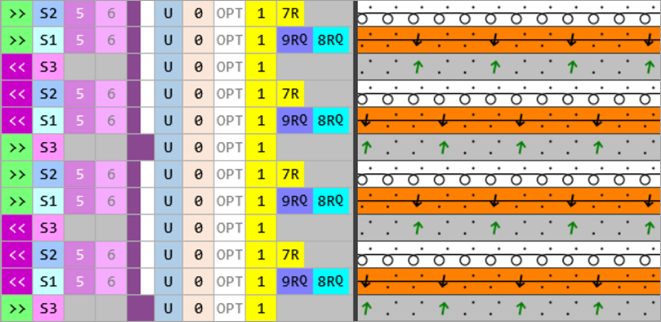
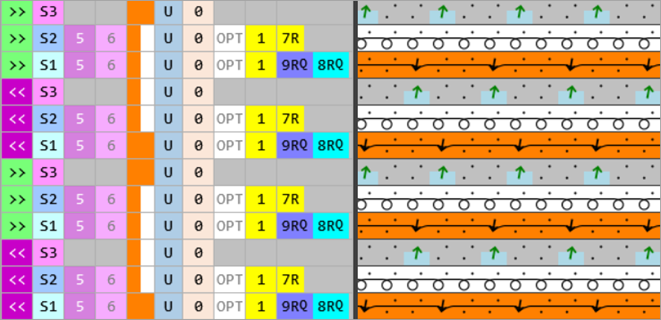
After Technical Processing: Knitting cycle with 2 weft yarn carriers |
|
CA1 |
|
|
|
|
|
|
|
Variant CA1 |
|
|
 : The extracted file "ADF530-32W.Pattern-13.zip" can be loaded onto the machine with an USB stick or via Ethernet.