Step by Step to 'Pattern-17'
- A pattern project with one pattern with DJ structure and the desired settings is created.
- 1
- To draw select any desired drawing tool under the Drawing group.
- 2
- In the Pattern Colors tool window, select the desired pattern colors from the Yarn Colors color palette to draw the motif:
- 3
- In
 Design Pattern draw the desired motif.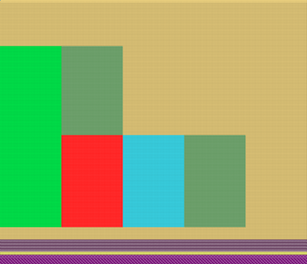
 : Original without length adjustment by switchable cycles
 - 4
- In the Pattern Row control column, select the first 2 pattern rows of the motif.
- 5
- Call up the context menu and select Selection
/
 Create Color Arrangement:
.
Create Color Arrangement:
. - The Color Arrangement editor appears with the default CA.
- 6
- Make the desired changes in the Color Arrangement:
- In the processing area:
- Draw-in the desired needle action for knitting-in the yarn carriers
- Modifications in Control Columns:
- Control column
 Carriage Direction
 - Control column
 E Presser Foot
 - Control column
 Presser Foot Correction: If necessary, enter index values in order to make any necessary corrections of the presser foot on the machine afterwards.
The use of the knitting-in presser foot depends on the carriage direction. And the knitting-in presser foot works always following the knitting system.
Knitting direction to the left | |
|
|
| |
| |
Knitting direction to right | |
| |
| |
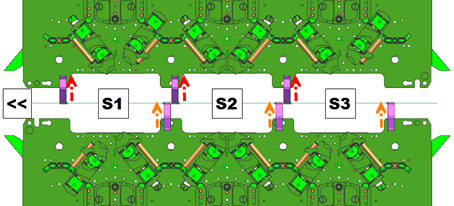
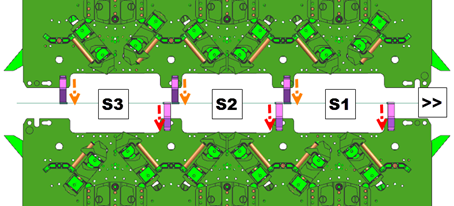
|
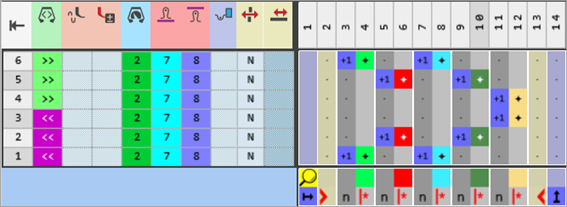
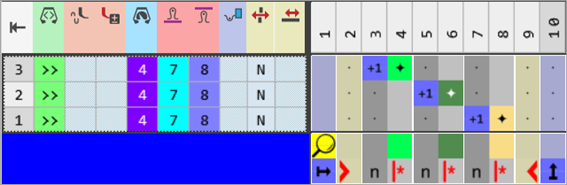
Color Arrangement CA#1- Knitting-in the yarn carriers |
|
|
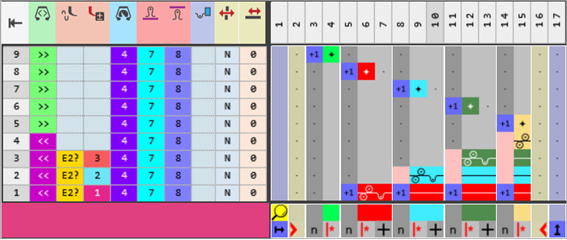
- 7
- Check the generated Color Arrangement on correct entries with the
 Check button.: The knitting procedure cannot be checked!
 - 8
- Use the same procedure to create the Color Arrangements for the following pattern rows.
|
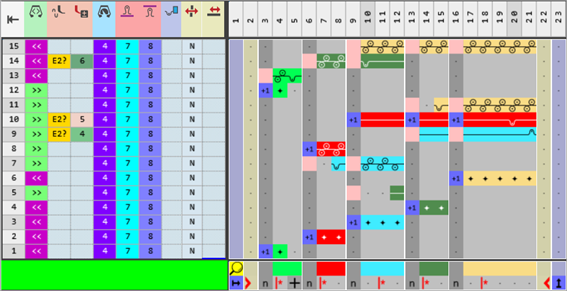
CA#2 – Height of the area 1 of the motif |
|
|
|
|
|
CA#3 – Transition from area 1 to area 2 of the motif |
|
|
|
|
|
CA#4 – Position the yarn carriers at the end of the transition. |
|
|
|
|
|
CA#5 – Height of the area 2 of the motif |
|
|
|
|
|
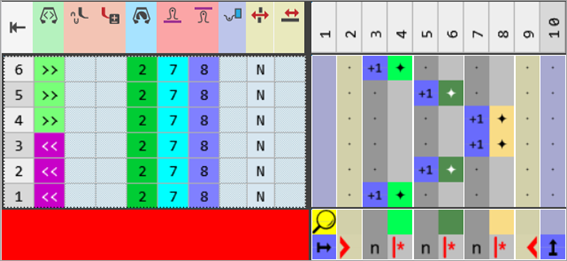
CA#6 – Knitting-out the Yarn Carriers |
|
|
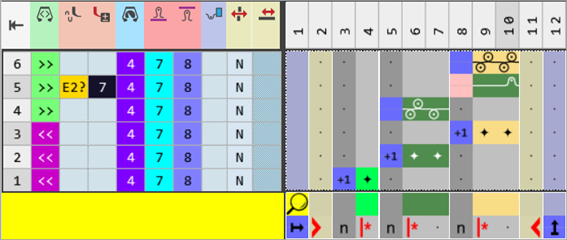
- 9
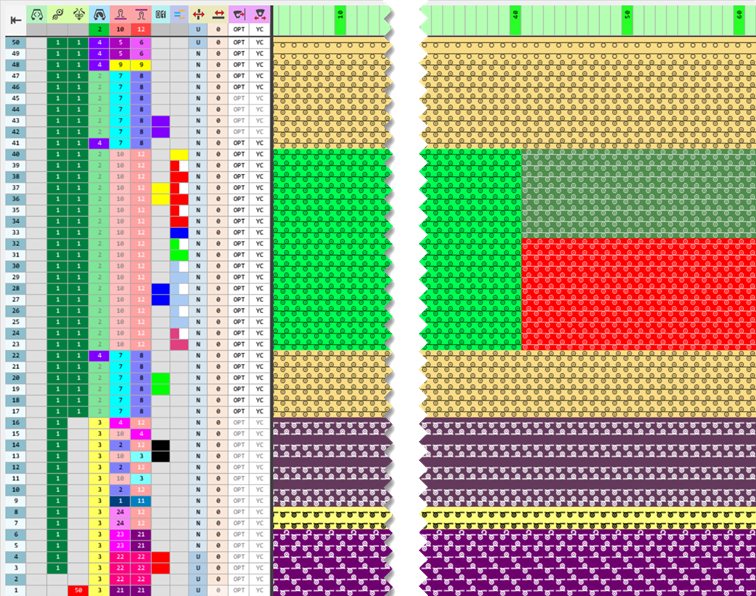
- Draw the desired cycles for length control into the
 Cycles control column (RS)
|
Screen section before technical processing |
|
|
- 10
- If necessary, make the desired settings in the
 Yarn Carriers tool window.
 - 11
- Make the desired presets in the following control columns:
- Stitch Length (NP)
- Main Take-down (WMF)
- 12
- Carry out all the steps of processing.
 : The extracted file "ADF530-32W.Pattern-17.zip" can be loaded onto the machine with an USB stick or via Ethernet.