Group assignment
- If you want to assign a storage feed wheel to a yarn carrier, you first have to create the groups in the Yarn Carriers tool window, Group Feed Wheels tab.
Group Feed Wheels Tab - For every one of these groups select a feed wheel and assign the desired yarn carrier.
- The assigned yarn carriers then appear in the Y -> Group tab , as well as the specification of the group and the selected feed wheel type, and they can be edited.
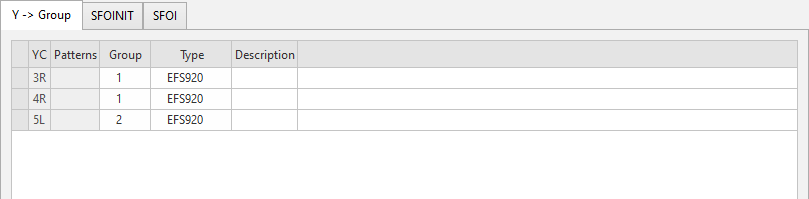
You make the following settings on the Y -> Group tab:
|
YC |
Shows the yarn carrier for the group assignment. |
|
Pattern |
Shows the pattern for the group assignment. |
|
Group |
Specify a group of feed wheels with common settings. |
|
Type |
Specify feed wheel type of the group. The basic setting for the feed wheel type is made in the Configuration dialog box / Machine Attributes tab / Electronic Feed Wheels section.
|
|
Description |
Note on the use of the entry. You can enter a text here. |