How to Set the Reference Line for the View of All Sizes
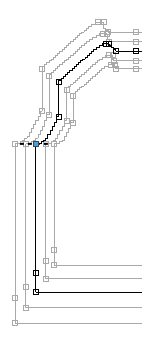
Set the reference line for all sizes of the back at the armhole startpoint:
- The dimensioned shape is opened in the Dimensioning View
 .
. - The
 status icon is activated.
- 1
- Open the context menu for the desired shape point in the currently bold shape line of the back.

- 2
- Select .
- All the sizes of the back align according to the selected shape point in the dimensioning view.
Proceed the same way to adapt the alignment of the other fabric pieces.