Views Before Technical Processing
Expanded Symbol View
- The desired pattern is selected.
- 1
- Click the
 Anteprima button in the ribbon under Simbolo.
 - An additional document window appears with the expanded view of the design pattern.
|
|
Expanded Symbol View |
|---|---|
|
|
|

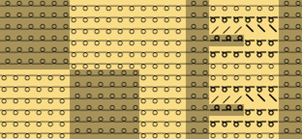
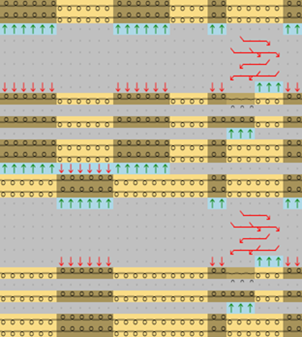
The expanded symbol view opened via Simbolo button is write protected.
- 1
- Close the document window by
 in the tab.
Expanded Fabric View
- The desired pattern is selected.
- 1
- Click the
 Tessuto button in the ribbon under Anteprima.
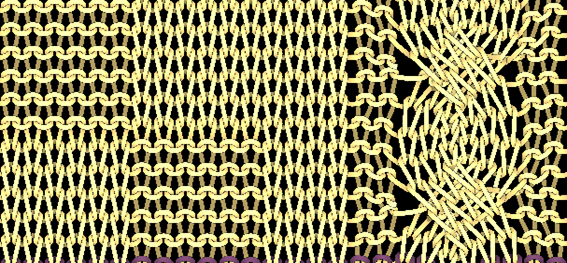
 - An additional document window appears with the fabric view of the design pattern.
|
Fabric View | ||
|---|---|---|
|
| ||
|
Options in the status bar | ||
|
Espanso |
Shows the opened view with technical rows. | |
|
Compresso |
Shows the compact view only in pattern rows. | |
|
Visualizzazione della distorsione |
Calculate the stitch distortion in order to get a realistic fabric view. | |
|
Visualizzazione nel rapporto di fittezza dei punti maglia |
Shows the design in the specified stitch density. | |
|
Non risolvere le smagliature |
|
Drop stitches are displayed. |
|
Mostra ranghi di protezione |
Protection rows can be displayed and hidden. | |
|
Tendi filo di separazione |
Display without draw thread and residual yarn | |
|
Trama del filato |
When activating the yarn texture the yarn structures that are set in the yarn properties become visible. If the yarn texture is not activated, the stitches are displayed in a technical representation. | |
|
Sfondo
|
Click on the
You have 3 different ways to establish the color:
| |

 button to define the background color of the fabric view.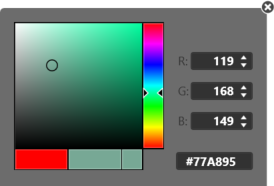
The fabric view opened via Tessuto button is write protected.
- 1
- Close the document window by in the tab.