Draw in Color
Draw-in color area:
- 1
- Select the
 花型颜色 setting in the
  status bar to draw the colored areas.
 - The basic pattern will be shown by 纱线颜色 / 库颜色 / 导纱器颜色.
- 2
- Select the desired color in the 花型颜色 tool window under 纱线颜色 or 库颜色.
|
|
|
|
|
纱线颜色 For drawing the design pattern, with it several yarn carriers may be necessary for each yarn color.
|
|
|
库颜色 For drawing the design pattern, with it one yarn carrier is used for each magazine color.
|
|
Draw the pattern by yarn colors or magazine colors in order to get common yarn carrier home positions (order related data) for all the pattern within the order. | |
|
|
导纱器颜色 For drawing the design pattern, with a yarn carrier already positioned on the corresponding rail for each yarn carrier color in use.
Result:
|
|
|
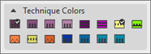
工艺颜色 To change or create technical modules like
|



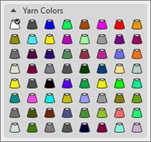
 Bobbin with color
 Bobbin with color +
 : Yarn carriers will not be allocated automatically to a yarn carrier rail. Yarn carrier home position can be determined automatically.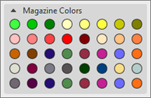
 Magazine Color
 Magazine Color +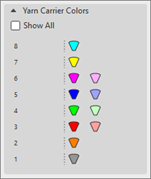
- 3
- Draw-in the ‘E‘ color area with the desired 纱线颜色 or 库颜色.

每个画入的颜色都被定义一个新的导纱器。
如果可能,将一个颜色画入花型时要画偶数行。