Step by Step to 'Pattern-3A'
 : Without using a Color Arrangement
- A pattern project with one pattern and the desired setting WITHOUT start is created.
- Draw the desired motif of SJ combined with DJ areas in the
 设计花型 without start.
- 1
- Therefore, use the desired pattern colors of the 纱线颜色 color palette in the 花型颜色 tool window for drawing.
: The yarn carriers are not automatically placed on the yarn carrier rails.
The yarn carrier home position is determined in the 工艺处理.
: When drawing pay attention to the distances between the color fields.
|
Basic pattern with 19 yarn colors | |
|
| |
|
| |
|
Neckline of the basic pattern | |
|
| |
|
1 |
SJ structure
|
|
2 |
SJ combined with DJ structure
|
|
3 |
SJ structure
|
|
4 |
SJ combined with DJ structure
|
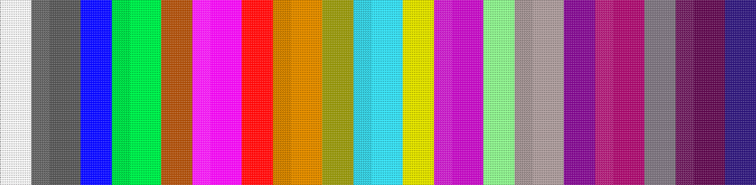

- 2
- Duplicate and rename the created basic pattern of the existing project to e.g. Pattern-3B: The copy serves as the basis for the second variant.
- 3
- Switch the view of the 设计花型 with the
 线圈长度 (NPJ) button.
 - 4
- Insert a new index color into the areas of the DJ structure for front and rear in this view.
|
|

- 5
- Make the following settings in the 线圈长度 table for the new index colors:
- Column NP : Assign the desired index.
- Column NPJ : Select 附加行 of the selection menu.
- 6
- Select 更换花型起头... in the context menu.
- 7
- Select the start in the dialog box, e.g. tubular with all the desired settings.
- 8
- Confirm the selection with OK.
- 9
- Switch the view of the 设计花型 with the
 button.
 - 10
- Make the desired settings in the
 导纱器 tool window.
- 编织带入
- 编织带出
- 边界处理 etc.
- 11
- Make the desired setting at 合并导纱器 in the 更多设置 tab of the 配置 dialog box.
- 默认
- 在颜色加宽部分固定纱线垫入
- 12
- Enable the split system function in the machine attributes if desired.
- 13
- Make all steps to create the pattern.
 : The extracted file "ADF530-32W.Pattern-3A.zip" can be loaded onto the machine with an USB stick or via Ethernet.