Yarn Allocation
Yarn Allocation
Start tab -> Tool Windows -> Yarn Allocation
In the Yarn Allocation tool window you can assign a yarn to every pattern color from the Yarn Definition tool window.
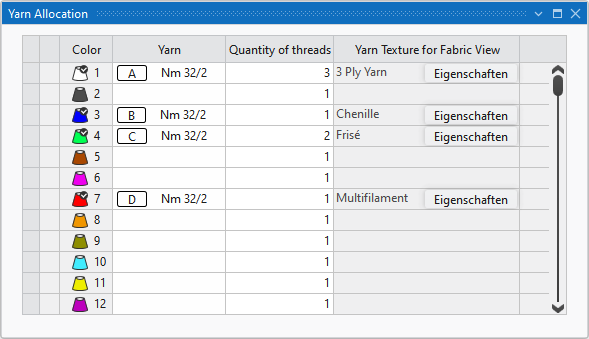
The following settings are made for the different colors in the table:
|
Color |
Identifying color of the yarns and technical yarns within the pattern |
|
Yarn |
Identifying characters and identifying color of the yarns You can define the yarns in the Yarn Definition table |
|
Quantity of threads |
Quantity of yarn bobbins allocated to one pattern color. |
|
Yarn Texture for Fabric View |
Mapped Yarn Displays the yarn from the Knit Explorer, that was defined for the corresponding pattern color for the presentation in the fabric view. The yarn selection cannot be changed here but you can open and edit the properties of the yarn. The changes are applied in the Knit Explorer. |