Step by Step to Pattern-9 without Shape
Multi gauge knitting technique
This knitting technique is based on the intarsia knitting technique as the neighboring areas (coarse - fine) in one knitting row are knitted with different yarn carriers.
Machines with the multi gauges (mg) E1,5.2 to E10.2 are used, in order to achieve fabrics of high quality.
 : Using Intarsia yarn carriers is recommended.
|
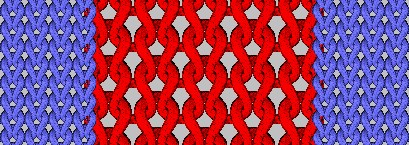
Stitch presentation before technical processing |
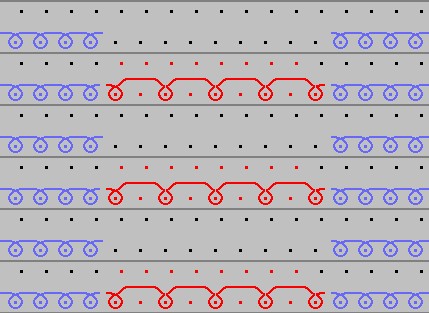
Stitch line before technical processing |
|
|
|
|
|
|
| |
|
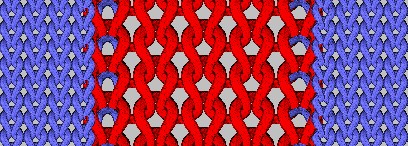
Stitch presentation after technical processing |
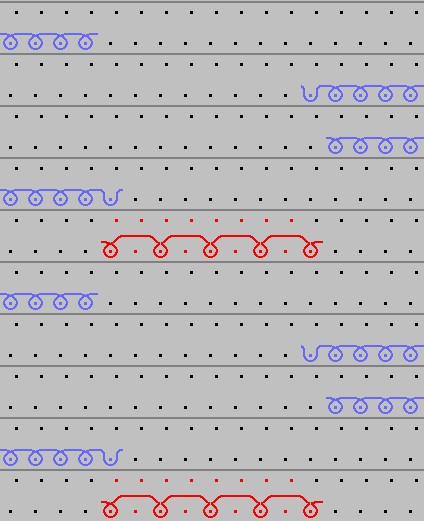
Stitch line after technical processing |
|
|
Intarsia binding at the border of the color areas:
|
|
Transition for the area from mg fine to mg coarse |
|
MG geçiş, inceden kalına |
|
|
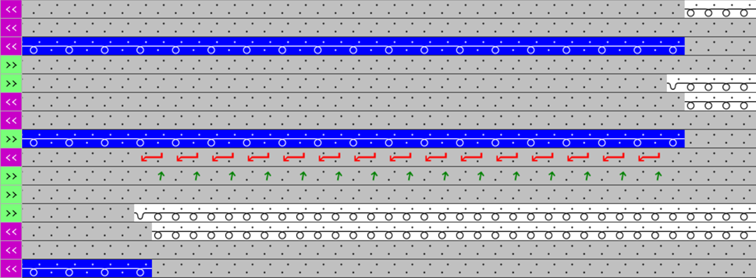
|
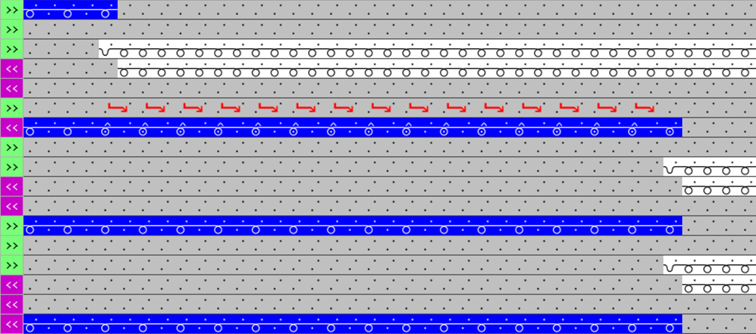
Transitions for the area from mg coarse to mg fine |
|
MG, kapma, kalın split |
|
Recommendation:
|
|
|
|
MG, kapma, ince örgü |
|
|
|
|
|
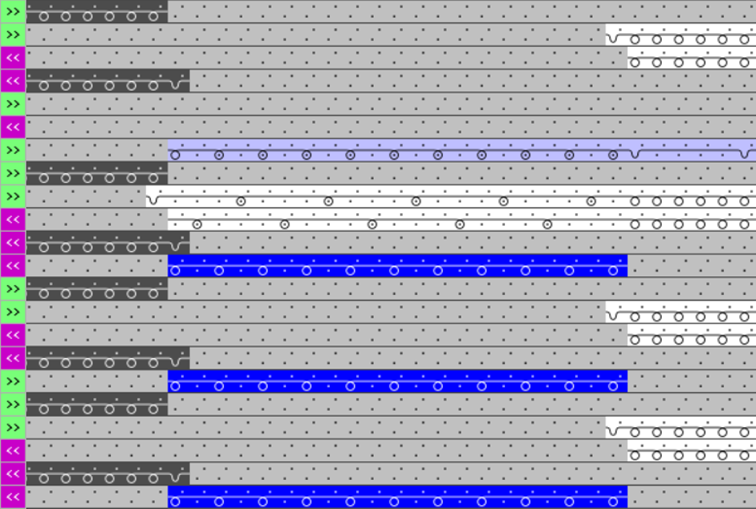
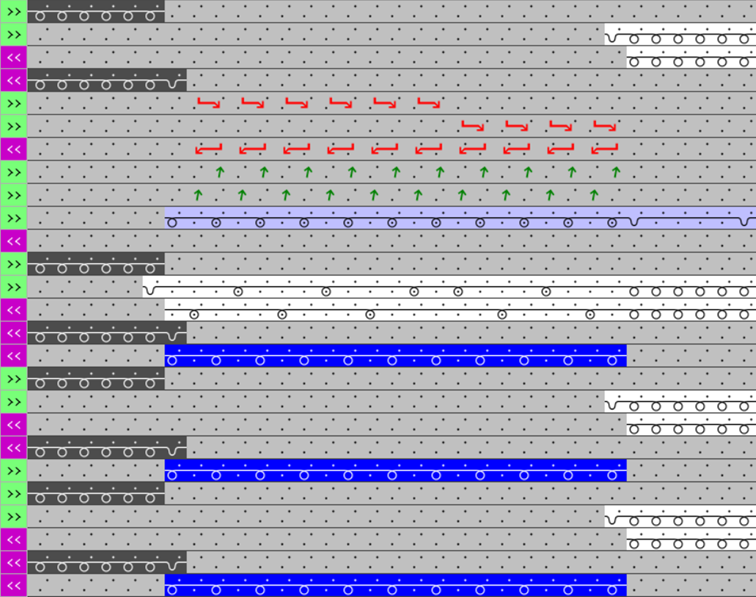
mg, Pick-up, Stitch Fine, Transfer |
|
|
Step by step to Pattern-9 without shape:
- A pattern project with one pattern and the desired settings is created.
- 1
- Select any desired drawing tool under the Çiz group.
- 2
- In the Desen renkleri tool window, select the desired pattern colors from the İplik renkleri color palette to draw the motif:
- İplik renkleri:
-
: The yarn carriers are not automatically placed on the yarn carrier rails.
The yarn carrier home position is determined in the Teknik işlem.
- 3
- Draw the desired motif in the
 Tasarım deseni with knitting elements from the Örme elemanı deposu of the
  Knit Explorer:
- Directory Yapı modülleri / multi gauge kaba
- Directory Desen parçası / Desen Parçaları, Multi Gauge Kalın
|
Example | |
|
|
Pattern neckline
For the yarn color #1 (white) there is a table entry in the Renk parametreleri table. |
|
| |
|
|
|
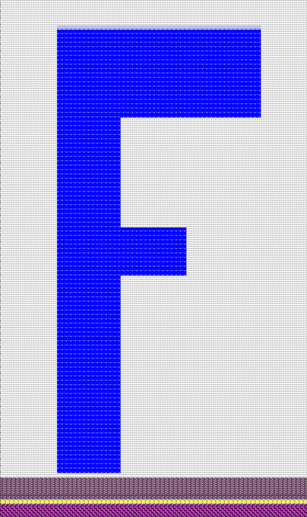

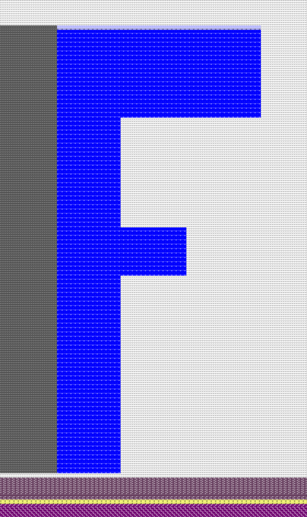
- 4
- In the Tasarım deseni adjust the motif for the specifications with Mekikleraccordingly, if desired.
- 5
- Carry out
 Teknik
işlem if necessary.: After carrying out the Teknik
işlem you are able to view and weigh up the result of the automatic processing, if corrections / optimizations are necessary.
Teknik
işlem if necessary.: After carrying out the Teknik
işlem you are able to view and weigh up the result of the automatic processing, if corrections / optimizations are necessary. - 6
- Back to the Tasarım deseni to make pattern-related changes.
- 7
- Open the Mekikler tool window for this purpose.
- 8
- In the Renk parametreleri table make the desired changes in the following groups, if necessary:
- Örgü girişi/çıkışı
- İntersiya bağlantısı
- Kenar düzenlemesi
-
 Kalın multi gauge sıralarının izin verilen basamaklaması
 -
 Kenar düzenlemesi için modül, mg-kalından mg-inceye geçiş
- 9
- If desired, make the desired presets in the following control columns:
- İlmek uzunluğu (NP)
- Ana merdane (WMF)
- Hız (MSEC)
- 10
- If necessary, make the desired presets for combining yarn carriers in the Diğer ayarlar tab of the Yapılandırma dialog box.
Several yarn carriers are combined in one system by the technical processing (knitting sequence) to optimize the production time.
:
The yarn carriers will be combined only if this is possible based on the color field distances.
The result is visible in the  Sembol görünümü after the technical processing.
Options in the Yapılandırma dialog box
- 1
- In the ribbon select the
 Yapılandırma button.
 - The dialog box appears.
- 2
- Select the Diğer ayarlar tab.
- 3
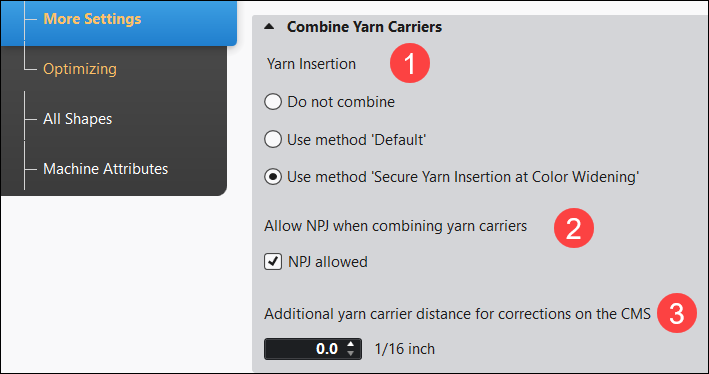
- Make the desired presettings for the Mekikleri birleştir.
-
İplikyatırımı:
 Renk artışında emniyetli iplik yatırımı is active (standard)
|
| ||||
|
1 |
İplikyatırımı | |||
|
|
Do not combine (Default setting) | |||
|
No automatic combining of the yarn carriers.
| ||||
|
|
Varsayılan | |||
|
Automatic combining of the yarn carriers, where the result cannot be influenced.
| ||||
|
|
Renk artışında emniyetli iplik yatırımı | |||
|
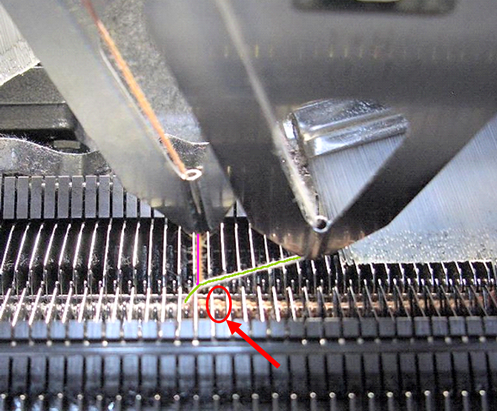
Automatic, uniform combining of the yarn carriers with an optimized knitting process for secure yarn insertion with the tuck binding.
| ||||
|
2 |
NPJ'ye mekikler birleştirilirken izin ver | |||
|
|
NPJ izin veriliyor (default setting)
Result: | |||
|
|
NPJ izin veriliyor is disabled
Result: | |||
|
3 |
CMS'deki düzeltmeler için ek mekik mesafesi | |||
|
|
Adjust the safety distance in order to make corrections on the machine (YC/YCI in the setup).
| |||



- 11
- Start the Teknik
işlem.
With the button, show . - The yarn carriers are automatically combined after the set specifications and the Intarsia rules (constructive facts of the Intarsia yarn carriers on the machine).
- 12
- Generate
 Sintral.
 - 13
- Start the
 Sintral Kontrolü.
 - 14
-
 Genişlet the knitting program.
 - A program for the knitting machine will be created: CMS530.Pattern-9.zip
- 15
- Load knitting program into the machine.
 : The extracted file CMS530.Pattern-9.zip can be loaded onto the machine with an USB stick or via Ethernet.