Creating Sub-colors within the Different Tables of Pattern Colors
Pattern Colors tool window with the available tables:
- 纱线颜色
- 库颜色
- 工艺颜色
- 导纱器颜色
You can create sub-colors in each of these tables in the same way.
Meaning of sub-colors:
Sub-colors are required in order to define different presettings for an individual yarn carrier
Creating Sub-colors:
Be sure to create the sub-color for a main color used in the pattern only, as no additional yarn carrier should be added to the pattern.
- 1
- Position the cursor to the
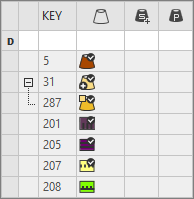
 main color in use (e.g. yarn color #31) in the tool window 花型颜色 / 纱线颜色.
 - The
 icon appears beside the symbol.
 - 2
- Click the icon.
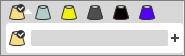
- The input panel for the sub-color appears.
- 3
- Click on the
 icon.
icon. - A new empty sub-color will be created and selected.

- 4
- If required:
Call up the 改变颜色值... context menu in order to change the color.
- or -
Delete the sub-color by 删除子颜色. - 5
- If required, create additional sub-colors for the same main color.
- or –
Switch to another main color in order to add sub-colors. - 6
- Draw-in the area for which different presettings are necessary with the selected sub-colors into the
 设计花型.
设计花型.
- The sub-color will be marked by the
 icon and appears in the color parameter table.
Modified Design Pattern | Color Parameter Table |
|
|