How to Determine Individual Steppings
How to check and correct the stepping in the armhole narrowing at the back for the XS size.
- Size set is created.
- The Show All Sizes
 status icon is activated in the dimensioning view.
- Select the Size
 menu of the ribbon.
- This size appears highlighted in bold in the dimensioning view.
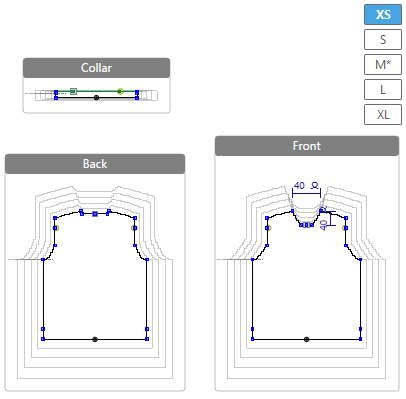
- Open the context menu for the highlighted shape line of the armhole narrowing at the
back.
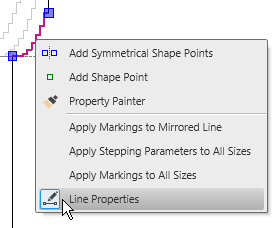
- Select the
 Line Properties.
 - The Line Properties tool window appears.
- The selected shape line and the mirrored shape line appear in the detail view on the
right.
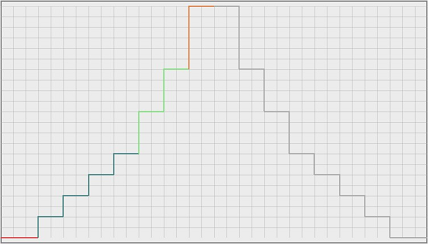
- The first step of the armhole narrowing is three stitches wide.
- The Binding-off function with the Binding-off SJ, 02 appears in the first sub-row of the Line table.
- Go to the Stepping Parameters group box.
- Increase the value in the Line Width by Stitches edit box
 from 3 to 6.
- Go to the first sub-row of the Line table.
- Select the Binding-off SJ, 01 module behind Binding-off in the list box
 .
.
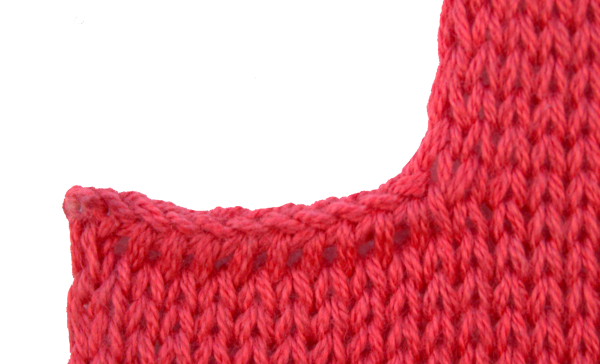
- In the line foot of the armhole narrowing, the the binding-off specifications are
replaced.
- Click on the Apply Attributes to Mirrored Line.
- The binding-off module is replaced in both armhole narrowings of the XS back.
 |
Check and correct the steppings of each size after creating a size set.
|