Binding-off
How to Define a Binding-off Area in the Neck:
- The dimensioned shape is opened in the Dimensioning View
 .
.
- The startpoint and endpoint of the binding-off area are dimensioned horizontally and
vertically.
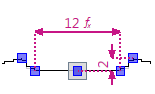
- Open the context menu for the left shape line of the binding-off area.
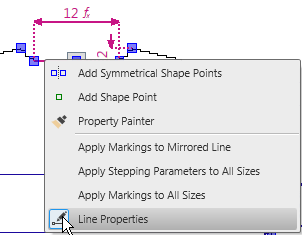
- Select the
 Line Properties.
 - The Line Properties tool window appears.
- The selected shape line and the mirrored shape line appear in the detail view on the
right.
- Keep the Standard option in the Behavior
 list box.
- Keep the
 Fill Neckline check box deactivated.
- Do not make settings in the Stepping Parameters group box.
- Go to the row with line identification M in the Line table.
- Select the Binding-off option in the list box of the Function column.
- The Binding-off Module column appears.
- Select the Binding-off, neckline, start, fast, 01 module in the Binding-off Module column in the list box.
- The selected binding-off specifications are determined for the shape line.