How to Create Control Dimensionings
Control Dimensioning
-
Between two desired points a control dimensioning can be inserted with horizontal and vertical orientation.
-
Horizontal control dimensionings show the number of wales between the points.

-
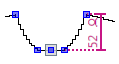
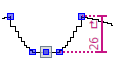
Vertical control dimensionings show the number of stitch rows between the points.
-
Vertical control dimensionings show the number of courses between the points.
 What's About Hand Knitting?
 -
The control dimensionings serve for controlling the dimensional accuracy of the fabric.
- The distance between two shape points is to be checked.
- The dimensioned shape is opened in the Dimensioning View
 .
.
- Open the context menu for the desired shape point.

- Click
 Add Horizontal Control Dimensioning.
- A red arrow appears.
The startpoint lies at the clicked shape point and the arrow head is attached to the cursor.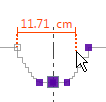
- Click on the target shape point.
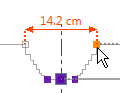
- The control dimensioning appears.
Next to the control dimensioning appear the stitch number and the stitch symbol.
 |
For vertical control dimensionings you select the context menu
 Add Vertical Control Dimensioning. Add Vertical Control Dimensioning.
|
|
|
A control dimensioning is defined between two shape points, between two marking points
or between a shape and a marking point.
|
