Plating (toolbar)
You call up the toolbar with the icon  of the Pattern Colors toolbar.
In this toolbar you put together up to 1000 plating yarns from up to four colors to one plating color.
The selected plating colors are presented in the Tool properties toolbar.
Example: 
Define a plating color:
- 55
- Click on the Yarn Color toolbar.
- The Plating toolbar appears.
- 56
- Click the desired foreground color in the color palette and apply it to the left color field.
You can delete a color from the color field with the context menu.
- 57
- Click the desired background color in the color palette and apply it to the right color field.
- Both color fields are covered with different colors.
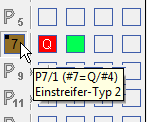
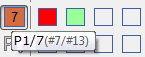
- The tool tip indicates the allocated page numbers and yarn numbers.
- Display in the status bar:

You can use yarn colors of the following color groups: Yarn Colors
 multi gauge
 Technical Yarns
 Yarn carrier colors
You can also pick up the colors from the pattern.
Modify the identification color of the plating color:
- 58
- Click on the identification color of the plating color.
- 59
- Call up Change color function in the context menu.
- The Color dialog box appears.
- 60
- Select a color.
- 61
- Confirm the selection with OK .
- A new identification color is displayed and entered in the pattern when drawing.
Define the plating colors:
- Only with ADF machines!
- 62
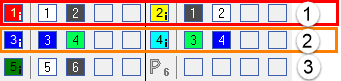
- Open the Plating dialog box with and create following plating colors:
- 4 plating colors for pattern
- 1 plating color for the start
No. | Plating Colors | Use |
|---|---|---|
1 | P1 (red) | Plating color combination for the first pattern row, which is worked in the first system. |
P2 (yellow) | ||
2 | P3 (blue) | Plating color combination for the second pattern row, which is worked in the second system. |
P4 (light blue) | ||
3 | P5 (dark green) | Plating color for the start |
| When creating the plating colors for Stoll-ikat plating ® you have to allocate type (i) to the plating color. | |
 :
:- 63
- Right click on the corresponding plating color.
- 64
- Select the item of the context menu.
- The plating color is indicated by the i symbol.
- 65
- Right click the corresponding yarn color of a plating color combination.
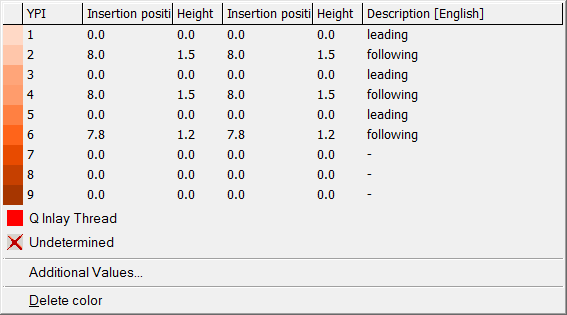
- 66
- Select the desired YPI index from the table and allocate it.
No. | YPI Index |
|
|---|---|---|
1 | YPI 1 + YPI 2 |
|
2 | YPI 3 + YPI 4 | |
3 | YPI 5 + YPI 6 |
Define weft yarn presser foot for plating colors with weft yarn:
- Only W machines!
- 67
- Click on the identification color of the plating color.
- 68
- Call up in the context menu.
- The presser foot is displayed in the identification color and in the tooltip.