Jacquard Module 1x1 Technique Float with Castoff
1x1 Technique Float with Castoff modules added.
|
| |||
|
|
| ||
|
|
| ||
|
|
|
| |
|
|
|
| |
|
|
|
| |
|
|
|
| |

You are using these modules for coarse fabrics regarding the machine gauge, using the 1x1 Technique with cast-off.
Drawing the pattern in the 1x1 Technique and creating the Jacquard
- New pattern in the Design Mode is created.
- 1
- Draw the pattern with the 1x1 Technique module.
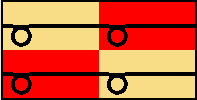
- 2
- Select the jacquard area.
- 3
- Select the Generate or Edit Jacquard dialog box in the menu.
- The Jacquards dialog box appears.
- 4
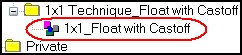
- Select the 1x1_Float with Castoff Jacquard-Generator in the Jacquard Properties of the 1x1 Technique_Float with Castoff.
- 5
- Confirm with the OK button.
- Change the 1x1 Technique modules to Jacquard modules in the Jacquard area.

- 6
- Expand entire pattern.
|
Symbol view |
Technical view |
|---|---|
|
|
|
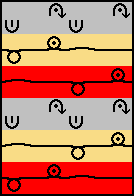
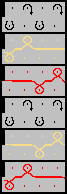
The Jacquard modules will be worked out in the Expand entire patternSteps of Processing