Automatic allocation of Color Arrangements
The function enables you to automatically allocate Color Arrangements in a design pattern
Procedure:
- A design pattern is open.
- The pattern is before the processing step Expanding.
- 1
- Draw areas for the Color Arrangement.
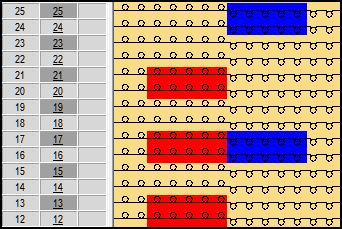
- 2
- Generate Color Arrangements.
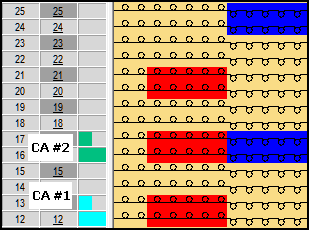
- 3
- Edit Color Arrangements.
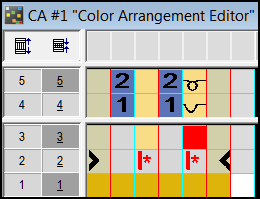
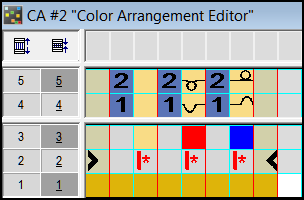
You have two options for selecting areas for automatic allocation:
Selection of complete rows (selected rows)
No selection or selection of areas (entire pattern)
- 4
- In the Color Arrangements control column open the Color Arrangements dialog box with the left mouse button.
- The Color Arrangement dialog box appears.
You have two options for selecting the source of the Color Arrangements.
Selection from a local directory.
Selection from a selected database directory.
In the k&w mode you have an additional option with the function.
- 5
- Select function.
- Missing Color Arrangements were entered automatically.
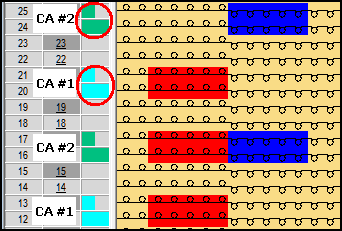
The following rules apply for automatic allocation.
The search row of the CA contains only the colors of the pattern and no other CA fulfils this criterion as well.
The search row of the CA contains the colors of the pattern besides further colors and no other CA fulfills this criterion as well and no other CA fulfills the more first criterion.
If no Color Arrangements can be allocated unambiguously, the affected rows are displayed in a list. Reasons for this are CAs that are not appropriate or several CAs that fulfill the same criteria.