No. of colors
In this section the following settings are made:
|
Element |
Meaning |
|---|---|
|
Option field |
If this option is selected, the number of colors present in the jacquard area is used for the jacquard in each pattern row. |
|
Option field |
Within a selected area, those pattern rows that contain the same colors are combined to form a jacquard area in each case. In the process, only these colors are used for the jacquard. |
|
Option field |
Generation of yarn bridges using a jacquard generator or jacquard module. |
Application case for the use of yarn bridges:
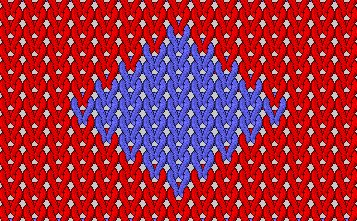
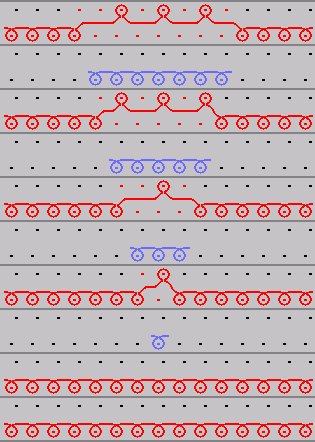
Connect the interrupted color areas in a selected area using a jacquard generator or jacquard module:
A yarn bridge is only inserted where a color area is interrupted within the selection. This function cannot be used on a jacquard area already present.
The selection may be greater than necessary for the area to be examined.
- 1
- Select area.
- 2
- Select a jacquard generator or jacquard module in the Jacquard properties section.
- 3
- Select the option field.
- 4
- Click the Apply button.
- The interrupted color area is interconnected on the rear needle bed in accordance with the selected jacquard generator or jacquard module and the jacquard area entered in the window.