Generate Module Arrangement from Selection
The situation:
Different transfer processes result from structure modules drawn-in neighboring. When expanding the modules, these transfer processes will be automatically split into a sequence of technical rows. This sequence could lead to undesired stitch distortion due too large racking courses.
The stitch distortion can be avoided arranging the transfer processes strategically.
Generate a Module Arrangement from a selection:
- 1
- Create the pattern in the Design Mode.
- 2
- Draw in structure modules.
- 3
- Select a knitting row with different transfer processes

You can also generate Module Arrangements above row areas that are not contiguous.
- 4
- Click the
 icon in the Default toolbar.
- or -
Run the / function in the menu. 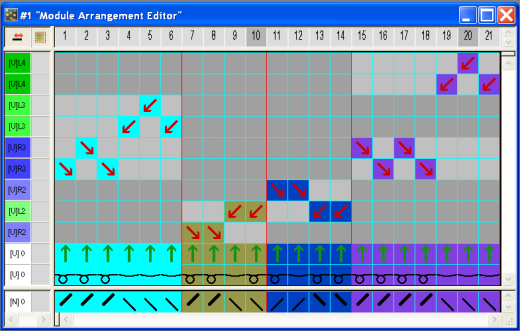
The settings in the / menu initially determine the racking priority in the Module Arrangement.
The priority settings in the / menu will be ignored if the sequence of the transfer processes are specified in a Module Arrangement
- 5
- Click the
 Aligning icon in the Drawing tools toolbar.
 - 6
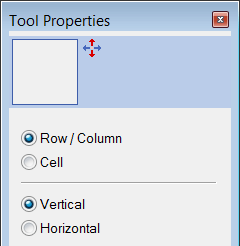
- Activate the options Row in the dialog box.
- 7
- Click on Aran transfer processes that will be heavily distorted by the subsequent cable transfer processes.
- 8
- Move the cursor to the very top in the column.
- 9
- Click on the yellow bar above the last row.
- The selected transfer processes will be moved to an additional row.
- 10
- Repeat the movement for all desired transfer processes.
- 11
- Select empty rows and delete with the DEL key.
The transfer processes from the Aran modules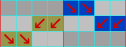 will now come after the cable transfer.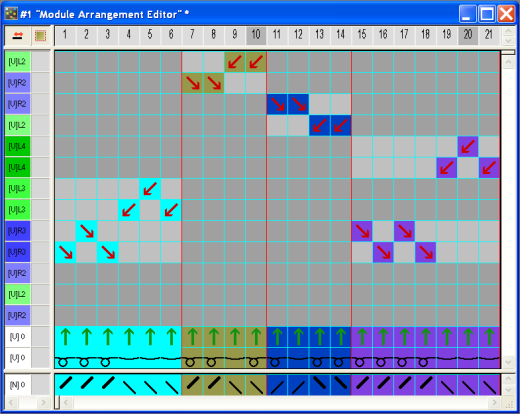
- 12
- Close MA editor.
Confirm the query with Yes.
- The Module Arrangement will automatically be entered in the control column of the selected pattern area.
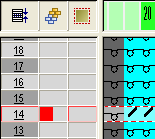
The Module Arrangement will be saved with the pattern and can be selected in the tab of the Module toolbar.
You can drag & drop modules into a new and empty Module Arrangement in order to control the transfer processes of these modules.