Generate a petinet pattern without empty rows
In order to generate a petinet pattern without empty rows the Jacquard must be generated in the way that the selection of the rear needle bed is opposite to the front needle bed without racking. For this you can set the VJA^0 Sintral command via the control column.
If you set this sintral command to a row the data of the rear needle bed will be displayed without racking. By this you can place a shape without taking the racking into account.
You can generate petinet pattern without empty rows with right stitches on the front needle bed only. You have to transfer the pattern to the front needle bed in order to achieve a basic pattern with left stitches.
Generate a petinet pattern without empty rows:
You can find the corresponding pattern example in the Ready-to-use Pattern Collection:
pattern M52_F_52.mdv(petinet pattern without empty rows)
- 1
- Call up the function with a click of the right mouse button on an icon of the control column in order to display the control column in the Technical View.
- The Select columns dialog box appears, in which you can select the control column.
- 2
- Select the VJA^0 function via the context menu of the control column.
- VJA will be displayed at the cursor.
- 3
- Allocate the VJA^0 sintral command to all rows of the pattern from the last row of the start to last row.
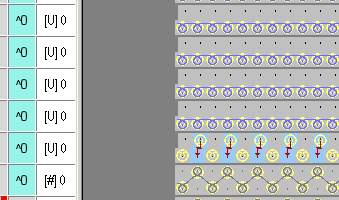
The VJA^0 sintral command is also allocated to the last row of the start in order to collect the rib correctly even if the racking of the last row of the start is different to the first pattern row.
- 4
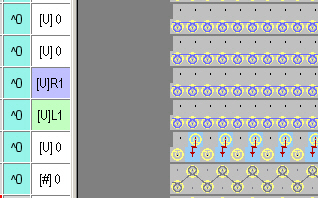
- If the initial racking movement is known, carry out different racking settings in two consecutive pattern rows.
- The racking movements are specified firmly by this.
- 5
- Apply the racking setting by copy and paste to all pattern rows.
- or -
Insert petinet modules into the pattern in such a way that a racking to the left is entered in a pattern row and racking to the right is entered in the next pattern row.
Retain this sequence across the entire pattern.
All pattern rows before the first petinet module will keep their racking.
The second transfer row of the module has the L1 racking position.
You have to apply this position to the following knitting row.
|
old racking |
new racking |
|---|---|
|
|
|
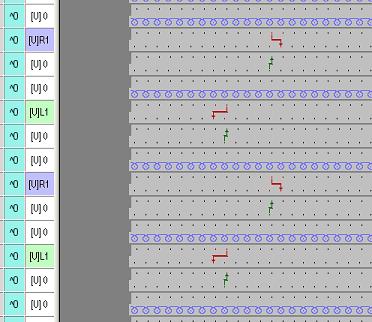
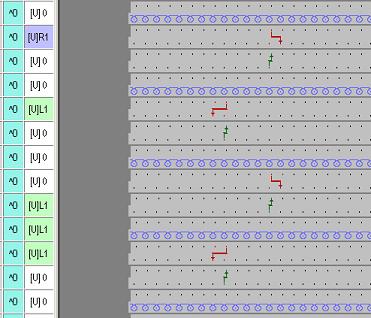
By the VJA^0 setting the following transfer row with racking will be adjusted to [V] 0 automatically. By this three rows can be collected to one stroke in each case.
You have to enter the new racking for every second row of the complete pattern at the moment.
Watch out the following points when laying the shape upon the pattern:
- Left and right narrowing selvedge must be shifted/displaced over a pattern row.
- Racking movements of the pattern and of the shape must be in the same pattern row.
- Only modules of the module group can be used for petinet pattern without empty rows.
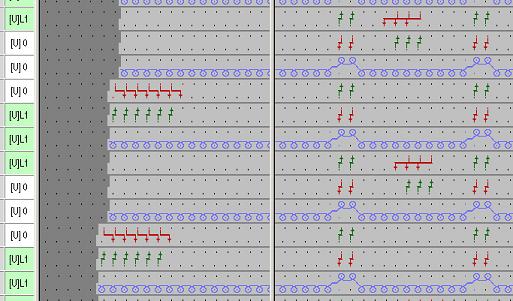
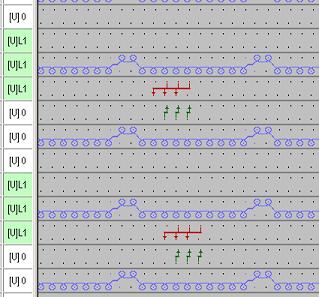
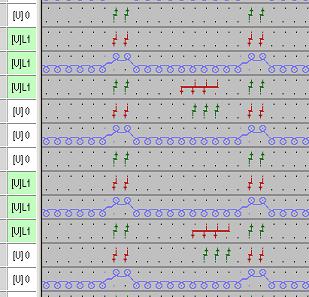
If there are left stitches in addition to the petinet in the pattern the Technical Processing will transfer them after the knitting row and transfer them back before the next knitting row.
|
Before technical processing |
After technical processing |
|---|---|
|
|
|