Split pattern (splitsintral.exe)
If the machine memory for a pattern and/or the line numbers is insufficient, the program data must be split up.
This is performed automatically if needed or if required by  .
.
|
|
|
|
|---|---|---|
Several partial patterns with reloading command NAS |
|
|
With Technical Processing, possible separation points in the Sintral and Jacquard files are determined and identified. With the Split pattern program (splitsintral.exe), the pattern is split in several individual files if necessary and the sequence files for the pattern elements will be generated with TC machines. | With the function, several SIN and JAC files are created and packed into the common zip file. | |
|
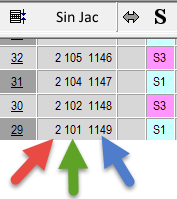
2 = Second partial pattern ( *-1.sinand *-1.jac) The partial pattern to be reloaded must also match the existing partial pattern in the machine memory capacity.
| |



Call up the Split pattern program using the Windows Start menu  .
.
/ / /
The following elements are available to the parts of a pattern:
|
Element | Meaning |
|---|---|
Display field | Selection and display of the Sintral file which is to be split |
Display field | Selection and display of the Jacquard file which is to be split |
section | |
| The Sintral or Jacquard file is split. |
Option fields | Specify the number of fabrics |
Button | Parts of the selected program files |
Button | Exit the program |
 : After changing the setting, the Generate MC Program function in the