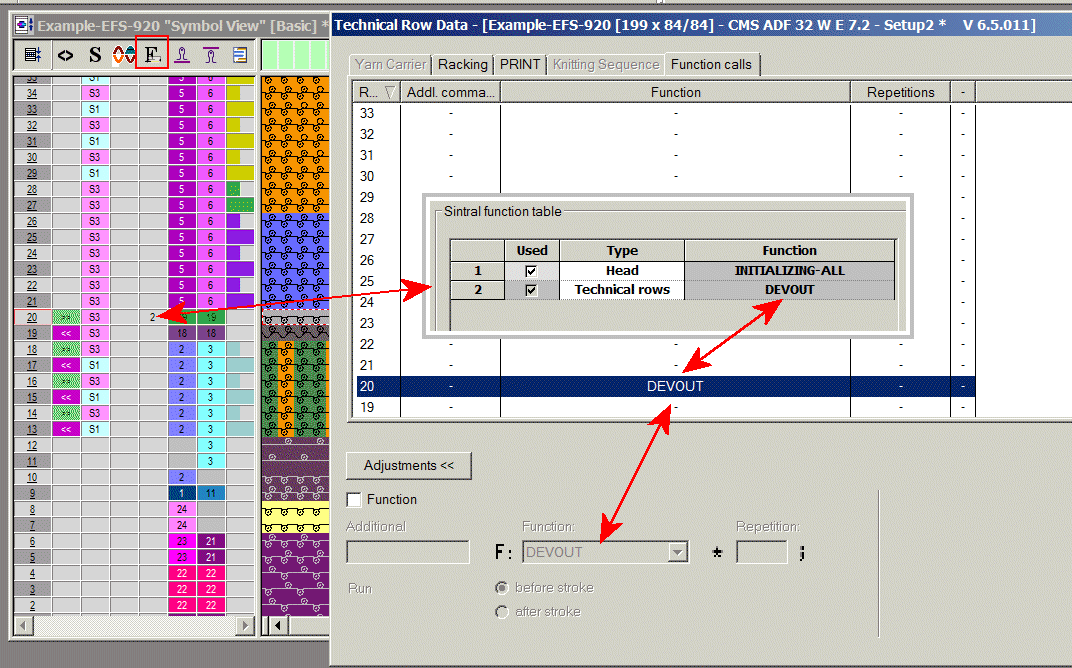
Use of the DEVOUT command with the M1plus
I. Prepare Sintral function for the Head type.
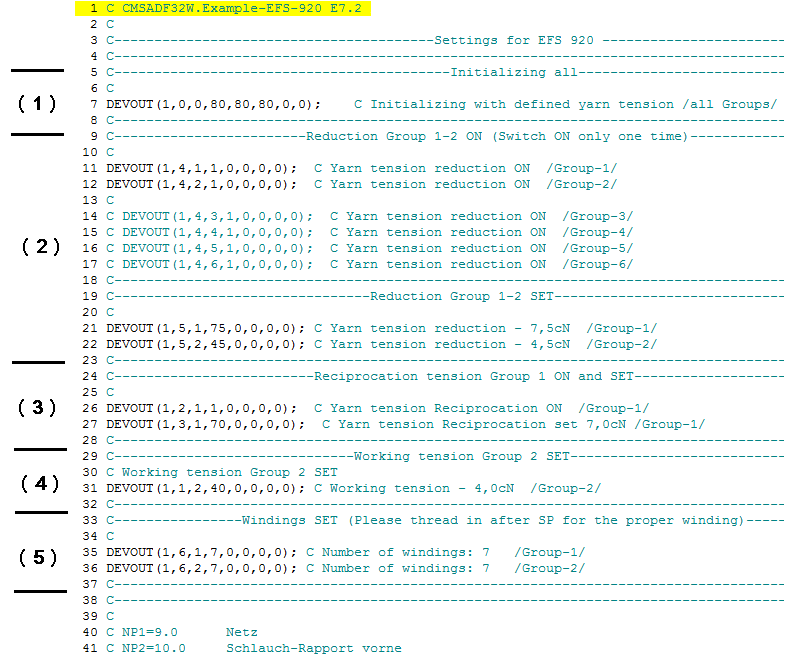
- In this function initializing must be carried out first.
- 1
- Activate the reduced yarn tension for the used groups and define the yarn tension for the reduced yarn tension.
(Here, the yarn tension reduction is activated. An additional activation is no longer necessary) - 2
- Activate the reciprocation tension and define the yarn tension for the reciprocation tension.
(If the reciprocation tension is to be changed later on, it must be activated again) - 3
- Define the working yarn tension.
(Activation of the working yarn tension is not necessary)
This function is defined as Head type
The function is inserted in the Sintral Head from line 2.
Call up the Sintral function in the M1plus:
- 1
- Click in the menu.
- 2
- Select the function via Load... in the directory.
- 3
- Select the Head property in the column.
- 4
- Activate the checkbox in the column.
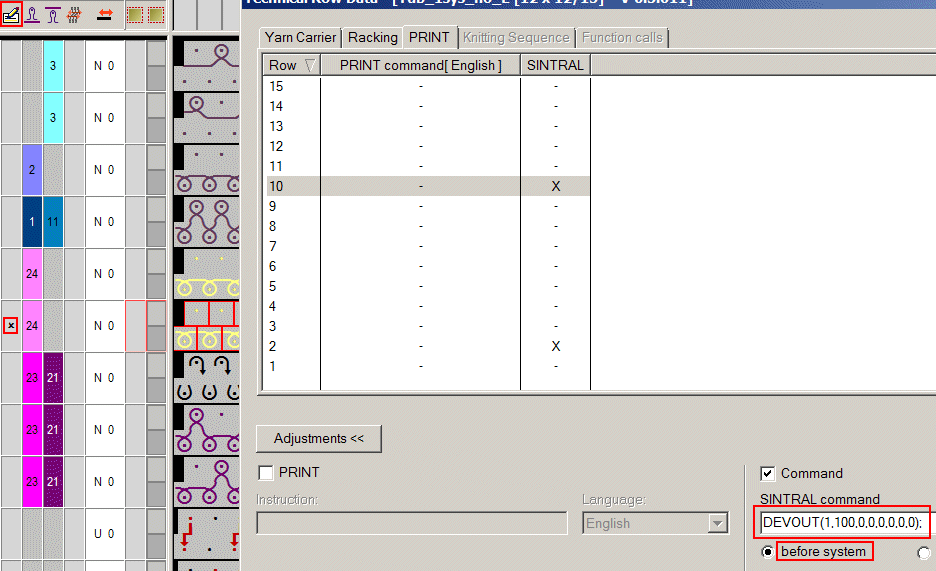
II. Enter Sintral with the command for calibrating in the draw thread row of the start module
- 1
- Click with the right mouse button on the start module.
Call up . - 2
- Open the PRINT control column.
- 3
- Click in the context menu of the PRINT control column.
- The Technical Row Data window appears with the PRINT section.
- 4
- Click the Settings >> button in the Technical Row Data window.
- 5
- Activate the check mark for Command.
- 6
- Select the row with the draw thread.
- 7
- Enter the DEVOUT command for the calibration:
DEVOUT(1,100,0,0,0,0,0,0);
III. Changing the yarn tension in the technical rows while knitting
For each knitting row the yarn tension of the corresponding mode: working yarn tension, reciprocation tension or yarn tension reduction can be changed.
For the yarn tension changes it is recommended to create Sintral functions.
The above mentioned rules are to be observed.
Procedure:
- 1
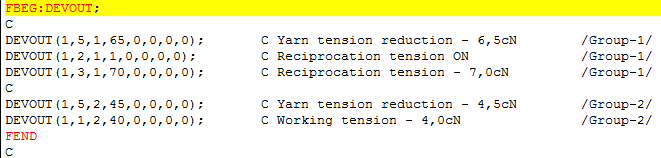
- Create Sintral with DEVOUT commands and store them in a designated directory. (Name of the function = Name of the Sintral file)
Example:
- 2
- Open the Function call control column and tag the technical row, from which the new yarn tension is to be used
- 3
- Execute Function Calls.... The Technical Row Data window opens up in the Function Calls section
- 4
- Open the Settings in the Technical Row Data window
- 5
- Activate the Function checkbox
- 6
- Click on the further functions function.
- 7
- Switch to the directory where the above mentioned function was stored and the function. The name of the opened function is now displayed in the Function: field .
- 8
- Select Before stroke / After stroke. Attention: In case of Before stroke, an empty row may be generated. Therefore, select After stroke if possible.
In case of Before stroke, an empty row may be generated
Therefore, select After stroke if possible. However, the consequence is that the function must be entered one pattern row before the desired row.
Connections of the Function Call: control column