Generate the Shape and Allocate the Shape attributes
I. Generate shape:
- 1
- Call up the via the / Shape Editor (Generate or Edit Shapes)... menu.
- The dialog box will be opened.
- 2
- Open an existing shape via the / menu.
- or -
Load the shape with .
.
Example: D:\ Stoll \ M1plus \ Versionsnummer \ Form \ 2_set-in-front-v-neck-38.shv. - 3
- Convert the shv shape into the shp format via the / menu.
- 4
- Modify shape.
Due to the fade-out module, the narrowing stepping of the neck opening element must be 1 at the maximum.
II. Allocate fade-out modules to the element for the neck opening:
- 1
- Select the Neck opening element.
- 2
- Deactivate the
 Mirrored checkbox.
 - 3
- Open the tab via the Narrowing function the Left line table.
- 4
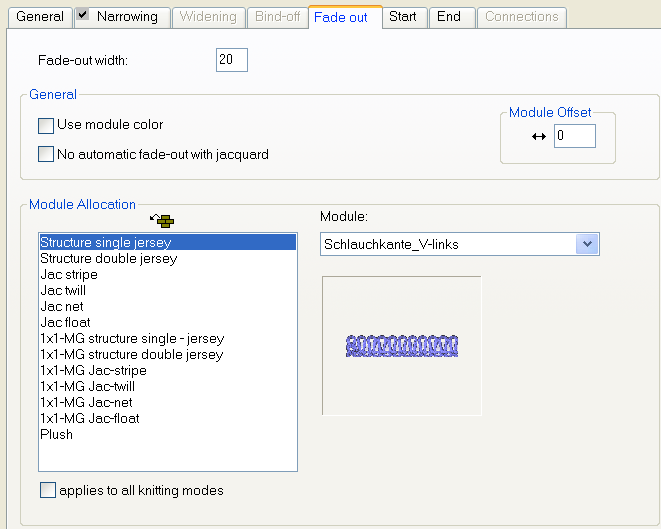
- Allocate the generated fade-out module Tubular Edge_V-left to the knitting mode of the basic pattern (single jersey structure) by drag & drop.
- Allocating the module determines the fade-out width automatically.
- 5
- Proceed the same way to allocate the Tubular edge_V right fade-out module to the right edge of the V-neck.
III. Allocate narrowing attributes to the element for the neck opening:
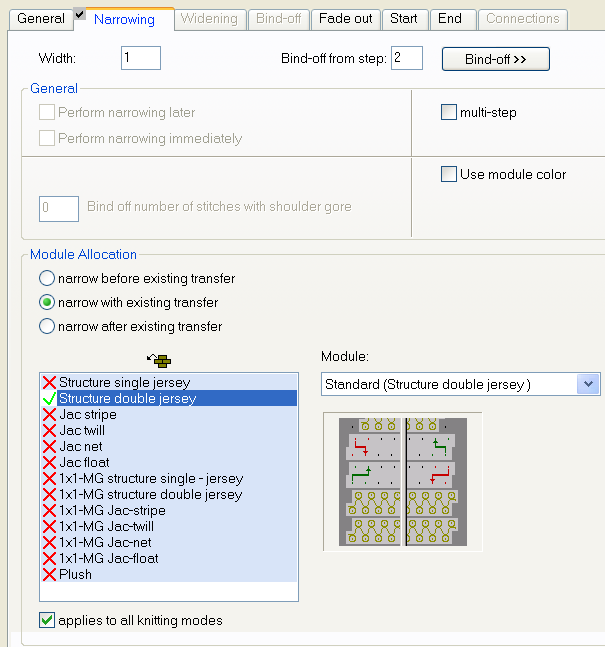
The element Neck opening is narrowed by the fade-out module Tubular Edge_V-left (double jersey). Due to it the narrowing will be done as with double jersey.
- 1
- Select the Neck opening element.
- 2
- Open the tab via the Narrowing function the Left line table.
- 3
- Select the Double Jersey Structure knitting mode.
- 4
- Select type of narrowing under Module.
- 5
- Enter the value 1 under .
IV. Allocate a start module to the element for the neck opening:
- 1
- Select the Neck opening element.
- 2
- Click the
 button.
- The Neck opening properties dialog box appears.
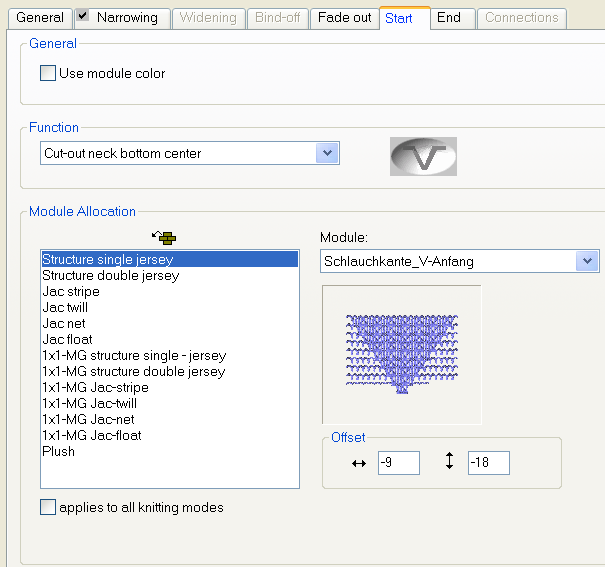
must be selected in the tab under Function.
- 3
- Allocate the generated start module Tubular edge_V start to the knitting mode of the basic pattern (single jersey structure) by drag & drop.
- 4
- Specify the horizontal and vertical position of the V start module under .
- 5
- Save the shape via the / or menu.
- The shape will be saved in the shp format.
- 6
- Close the Shape Editor with
 .
.