Jacquard Module of your own
I. Generate a new Jacquard module:
- 1
- Call up the editor via the / / Jacquard Module... menu.
- 2
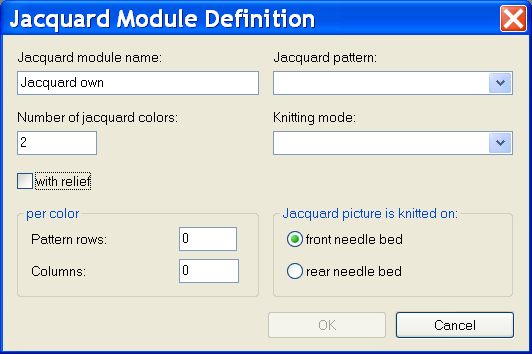
- Define the specifications:
- Number of jacquard colors
- Pattern rows per color
- Columns per color
- Picture side of jacquard
Element | Meaning | |
|---|---|---|
Jacquard module name | Enter a own name for the Jacquard module. | |
Jacquard template | Select an existing Jacquard which can be used as template. | |
Number of jacquard colors | Number of colors within the pattern row. | |
Knitting Mode | Select a knitting mode for the module properties. | |
| Input possibility for jacquard relief. | |
per color | Edit Box | |
| Pattern rows | Number of pattern rows per color |
Columns | Number of columns per color in the block. | |
Jacquard picture is knitted on | Optional Features | |
|
| The jacquard picture is knit on the front needle bed. |
| The jacquard picture is knit on the rear needle bed. | |

 front needle bed
- 3
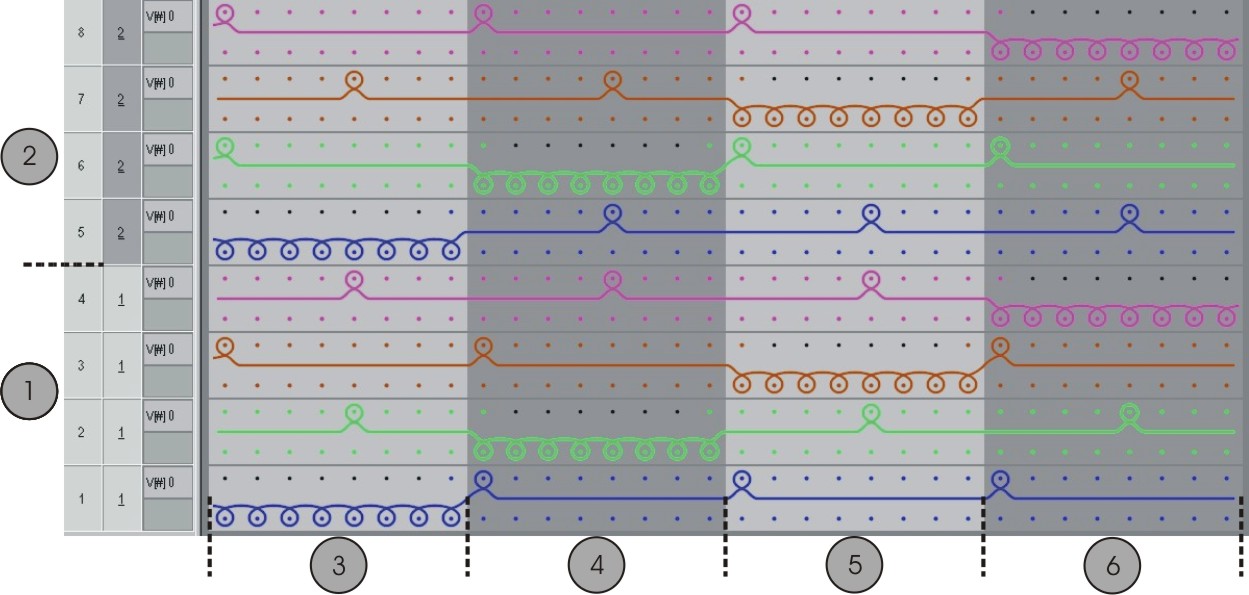
- Draw the knitting sequence with Needle actions.
- or -
Select a Jacquard template, set the number of Jacquard colors and confirm with OK. - A template appears which you can change as desired.
You can use all needle actions.
For rows with transfers, a racking specification can also be made.
| Meaning |
|---|---|
1 | Pattern row 1 |
2 | Pattern row 2 |
3 | Color 1 |
4 | Color 2 |
5 | Color 3 |
6 | Color 4 |
- 4
- Close the Module Editor with
 .
. - 5
- Set up Binding under in the Technique tab of the Properties of: dialog box.
- The module is saved in the Module Explorer of Database under New Modules.
The module can be used with Fully Fashion pattern.
- 6
- Specify the Start and End modules in the JAC net type tab of the Properties of: dialog box.
- They will be used with inserting the new module.
Column | Meaning |
|---|---|
Knitting mode: | Specify the knitting mode(s) before (during) the jacquard start. |
Start modules | This module is used for the net start. Transition from pattern to the jacquard area. |
End modules | This module is used for the net end. Transition from jacquard area to the pattern. |
- The knitting mode of the jacquard area controls the setting of the End module.
- The knitting mode before (below) the jacquard area controls the setting of the Start module.
- 7
- Save the module in the Module Explorer of Database under Jacquard / Own / noname X-color.
- You can select the Jacquard module of your own in the Jacquards dialog box.
II. Allocate recognition picture:
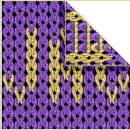
- recognition picture of the Jacquard is displayed in Properties of:.
- You can replace the recognition picture in order to recognize the modules of your own easily.
- Only pictures in the Bitmap format (bmp) and of the size 128x128 pixel can be used.
- 1
- Specify the path to a recognition picture via Properties of / Jacquard picture.
III. Apply own jacquard module:
- 1
- Select the Jacquard area in the motif via the row selection bar.
- 2
- Call up the Jacquards dialog box via the / menu.
- 3
- Select the generated Jacquard module via in the Jacquard / Own / nonameX module group.
- 4
- Insert the jacquard generator by Apply into the motif.