Create and draw a pattern
Create and draw the petinet pattern (pointelle):
- 1
- Generate new pattern.
- 2
- Enter the racking sequence e.g. V0 - VR1 - V0 - VR1 in the control column Racking rear
 in alternation over the height of the motif.
- in odd-numbered knitting rows the racking position is V0
- in even-numbered knitting rows the racking position is VR1
- 3
- Activate the
 control column in the Symbol View [Basic] and insert the VJA^0 command over the height of the motif.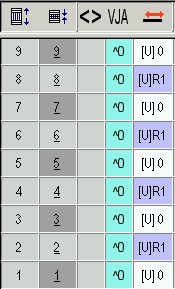
- 4
- Select Petinet modules from the Module Explorer of Database under Modules / Stoll / Standard / Pointelle.
- 5
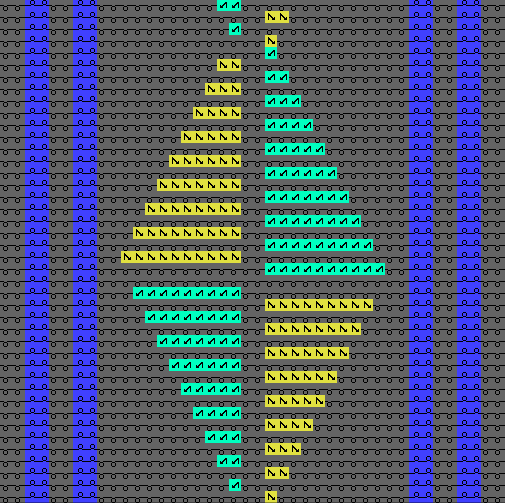
- Draw the motif with the Pointelle_v_Repetition<= and Pointelle_v_Repetition=> modules.
Switch from to in the / menu for drawing in the modules.
- Draw in Petinet to the right on odd rows (1,3,5) with V0 racking.
- Draw in Petinet to the left on even rows (2,4,6) with VR1 racking.
- 6
- Draw in further structure and ribs in to the basic pattern.
At the left and right border of a pattern the stitches over the width of the performed racking must be on the front needle bed.
Due to the racking movement and JA^0 the edge stitches will get outside the knitting area and therefore they will not be knitted or transferred.