Step module: Binding-off for shirt pocket
I. Modify pattern:
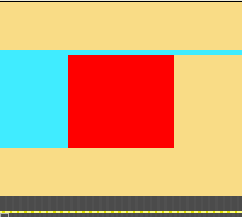
The binding-off of the pocket is to be carried out from the left to the right.
- 1
- The yarn color on the left of the pocket is to be entered in the following two pattern rows in the connection of the pocket area.
- The yarn carrier allocated to this yarn color will be used for binding-off and then it will be brought into home position.
II. Generate step module elements for binding-off the pocket:
- 1
- Create the new modules via the / / menu.
|
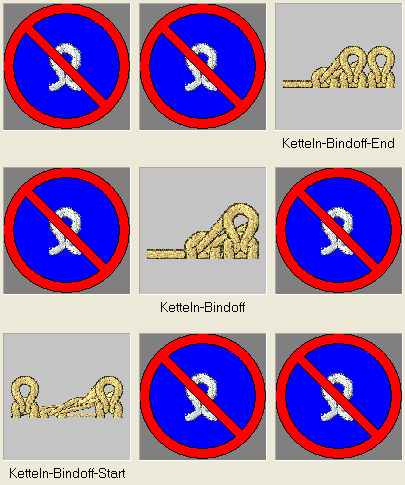
Elements of the stepping module: | ||
|---|---|---|
|
Knitting sequence |
Label |
Function |
|
|
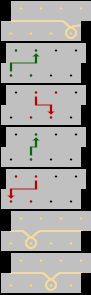
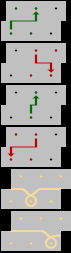
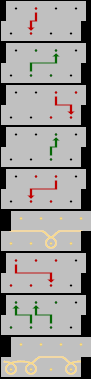
Pocket Binding-off End |
The module is inserted once at the end of binding-off. |
|
|
Pocket Binding-off |
The module is inserted repeatedly, according to the number of stitches that are to be bound off. |
|
|
Pocket Binding-off Start |
The module is inserted once at the start of binding-off. |
- 2
- Call up the New step module dialog box via the / / menu.
- 3
- Pull the elements (modules) into the Step Module with drag & drop.
- 4
- Confirm with the OK key.
- 5
- Enter the module name in the Properties dialog box.
- 6
- Confirm with the OK key.
- The step module will be saved as local pattern module in the module bar.
Overlapping insertion of the binding-off modules can be achieved by changing the offset values.
III. Draw in the step module for binding-off:
- 1
- Draw in the step module horizontally in the desired width at the end of the pocket.
- Rows are inserted automatically and the knitting cycle of binding-off is entered.