Generate and edit mirroring modules
I. Generate container module mirroring:
- 1
- Call up via the / / menu.
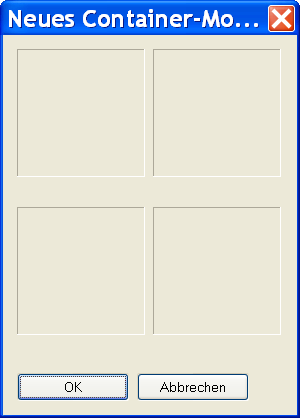
- The New container module is displayed.
- 2
- Drag a generated structure module onto the lower left position of the New container module mirroring container using Drag & Drop.
No container module mirroring can be allocated to a container module mirroring.
Behavior when selecting a container module mirroring:
- Selection + Drag & Drop: no allocation possible in a container module mirroring
- Selection + click with LMB in a new container module mirroring: Allocation of the original module from the selected container module mirroring.
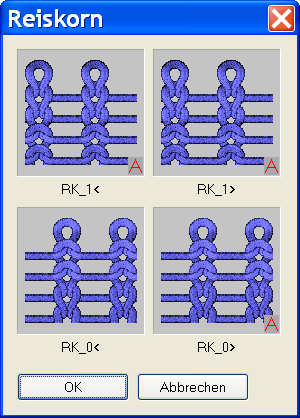
Example: Module for moss stitch
|
Mirroring positions | |
|---|---|
|
Mirrored to the back (L1) |
Mirrored to the back right (L1) |
|
Original (L0) |
Mirrored to the right (L0) |
- Only the original module is saved in the Module Explorer of Database.
- The other modules are automatically generated and displayed in the mirrored positions.
- If the original module contains the name ending _0<, the name endings for the automatically generated modules will be changed as follows:
|
Original |
Generated name: |
|---|---|
|
_1< |
_1> |
|
_0< |
_0> |
- Mirrored modules are automatically marked with the
 symbol.
 - The mirroring modules that are not wider than one stitch are inserted in the right column of the container without being mirrored. They will be mirrored only for the back layer.
- Self-generated modules can be allocated with drag & drop or via selecting the module to one of the four positions in a New container module mirroring.
- Different modules can be allocated to the front and back layer.
- 3
- Click the OK button.
- The module is saved to the New Modules module group of the Module Explorer of Database.
II. Edit mirroring module:
After a module is inserted in the mirroring container, the context menu and the following functions can be run with the right mouse button:
|
Menu |
Function |
|---|---|
|
Remove |
The module is removed from the tool. |
|
Edit |
The module can be edited. |
|
Do Not Generate Mirror |
Mirroring can be deactivated for the right-hand side. |
|
Explorer |
The module explorer is opened. |
- 1
- Open the Module Editor with Edit.
- 2
- Edit module.
Edited modules no longer have the marking .
These modules are saved under New modules.
III. Generate the mirroring module only for the back layer:
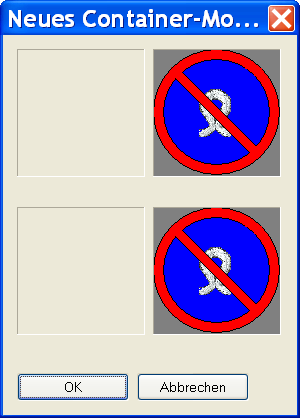
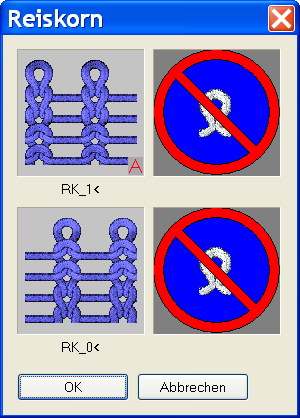
A module is to be mirrored to the back layer, but not to the right.
- 1
- Call-up the context menu in the New container module mirroring dialog box and activate .
- 2
- Drag the module to be mirrored to the lower left position with drag & drop.
- 3
- Click the OK button.
- The module is saved under New Modules.