Load and position the shape and draw-in the pockets
I. Lay k&w shape onto the basic pattern:
- 1
- Call up the dialog box with the / menu.
- 2
- Load the shape with the .kaw extention via
 (1).
(1). - 3
- Confirm the selection with OK.
- The shape elements will be layed on the basic motif in the Symbol View [Basic].
II. Position the shape:
- Shape with k&w Arrangements lies on the basic pattern.
- 1
- Position the shape elements Sleeve and Body on the motif with
 activated and the left mouse button pressed.
- or -
Select the desired shape element with active. Position the selected shape element with the arrow keys of the keybord or of the Tool Properties toolbar.
III. Draw in areas for the pockets:
- The k&w shape generated in the Shapewizard lies on the basic pattern.
- 1
- Open the Shape View with
 .
.
- or -
Switch the Symbol View with into the Display Pattern Cut-out k&w presentation.
 - 2
- Draw-in the pocket areas with five different yarn colors or different yarn carrier colors.
Draw in the colors on the front layer (L0) and the back layer (L1).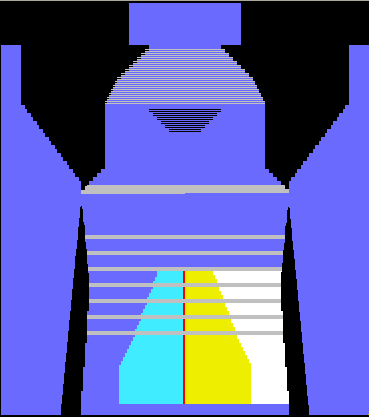
The pocket starts on the front layer (L0)
- The different colors are used as search colors in the Color Arrangement.
Draw the narrowing steps in the area of the pocket mouth offset in order to knit the yarn carriers out of the narrowing area.