Calculate Color Arrangements
Calculate Color Arrangements based on the k&w Arrangements
- 1
- Switch the Symbol View with
 into the Display Pattern Cut-out k&w presentation.
 - 2
- Toggle on control columns:
- k&w Arrangement with

- Color Arrangements with

- 3
- Select two rows in the row selection column
 .
.
The first row in the basic pattern (L1) and the first row of the pocket (L0) - 4
- Place the cursor in the control column and call up the context menu.
- 5
- Select .
- Color Arrangements will be generated based on the k&w Arrangements in use. They are represented color coded in the control column.
- 6
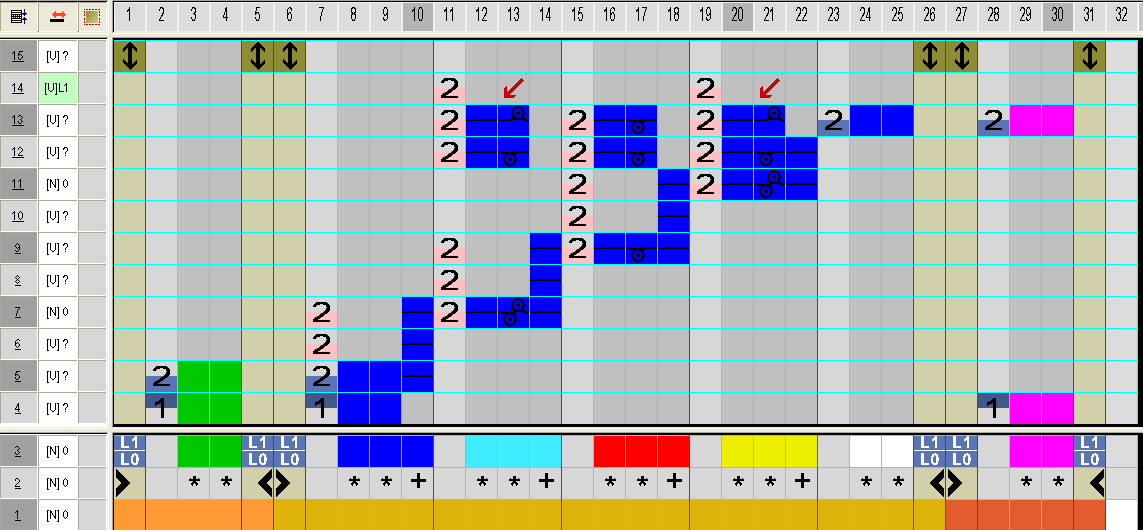
- Open and edit the Color Arrangement by double click.
CA for the start of the pocket
- 7
- Close and save the modified Color Arrangement with
 .
. - 8
- Enter the Color Arrangement in the control column.
- 9
- Select the following two rows.
- 10
- Place the cursor in the control column and call up the context menu.
- 11
- Select .
- 12
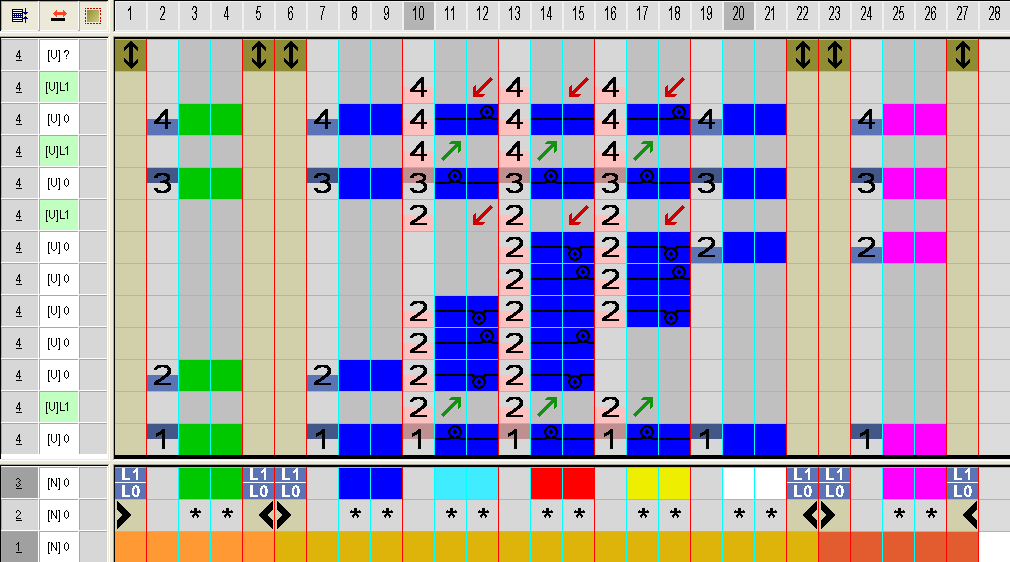
- Open and edit the Color Arrangement by double click.
CA for the pocket lining
- 13
- Close and save the modified Color Arrangement with .
- 14
- Enter the Color Arrangement in the control column.
- 15
- Generate the next three Color Arrangements following the same procedure:
- Color Arrangement for transition from the pocket lining to the pocket mouth
- Pocket mouth
- End of the pocket