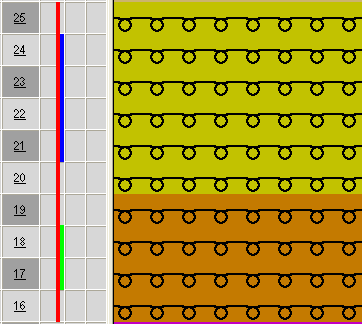
Define cycles for length control
I. Generate cycles:
- The basic pattern is loaded.
- 1
- Select rows, which are to build a cycle.
The height of a cycle has to contain a repeatable rhythm of knitting.
- 2
- Call up the Cycles dialog box with the / menu.
- or -
Press the key combination Ctrl + R.
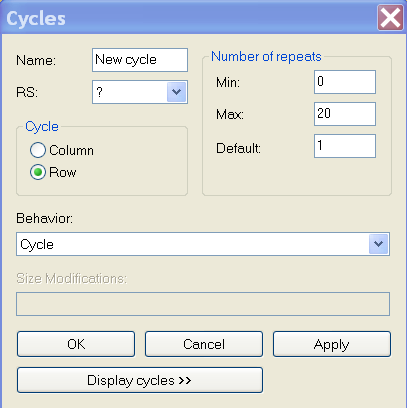
- The Cycles dialog box is opened.
|
Element |
Function |
Default |
|---|---|---|
|
|
Enter a designation |
New Cycle |
|
|
Used cycle counter |
? |
|
Cycle | ||
|
|
Width cycle |
|
|
|
Length cycle |
|
|
Number of repeats | ||
|
|
Minimum repetition |
0 |
|
|
Maximum repetition |
20 |
|
|
Repetition factor |
1 |
|
Behavior | ||
|
Selection list |
Type of Cycle |
Cycle |
- 3
- Make settings in the Cycles dialog box.
- The option is automatically specified under and is specified under Behavior in the selection list.
- 4
- Specify a name (designation) for the cycle.
- 5
- Enter settings for , and .
- 6
- Select settings for (cycle counter).
- 7
- Click on the Apply key.
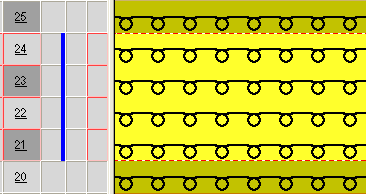
- The cycle mark will be entered in the symbol view.
- 8
- Open the via Display cycles >>.
- All cycles of the pattern are listed.
- 9
- Close the window.
- 10
- Delete the selection with
 .
.
II. Generate a nested cycle:
A cycle may contain further cycles. As a result, the cycles are nested in one another.
- 1
- Select rows and allocate additional cycles.