What was new in 7.2?
This M1plus software version: V 7.2
M1plus V 7.2 is compatible to the machine operating systems:
- EKC 2.2
- CKC 1.0
- OKC 6.5
Machine Generation BMS
- Two Types
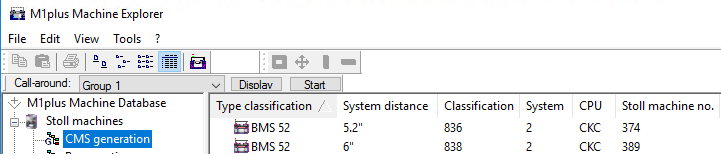
- BMS 52 kiType 836
- BMS 52 kiType 838
- Special features
- The intarsia yarn carrier types are not supported.
 Attention:
Yarn carriers that are not used in the pattern must not be parked in the and not be clamped as well.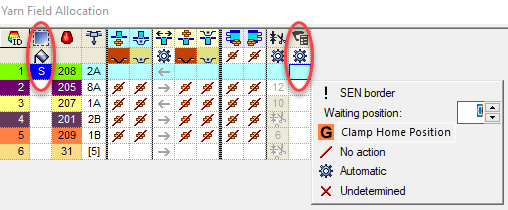
Check invisible yarn fields (identifier S) and knit-in the corresponding yarn carrier if necessary.- Sintral command MCWS to extend the carriage path
The first (n) and last (m) needle position of the following carriage stroke will be written for each stroke into the Sintral in order to prepare the needle selection. - MCWS= n-m
- The MCWS command will not be written if no relevant stroke follows.
- If the system S1 is available for preparing.
- Sintral Pocket CardMovimiento del carro
- Configuration / Comb / Clamping
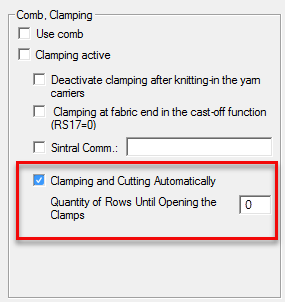
- Default setting for the unit of collecting clamps
- You can control the clamping and cutting of the threads by the following settings manually.
- Mind the dependencies!
- Ficha peine, pinzado
- Collecting Clamp control column
With it, you specify: - The row with clamping
- The side with clamping
- The inner or outer clamp (1/2)
- The threads commonly clamped
- The threads commonly released
- The threads commonly cut
- Clamp Home Position in the Parking Position control column
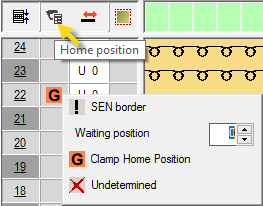
- Clamp Home Position in the Parking Position column of the Yarn Field Table
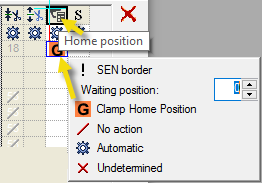
- Parking the yarn carriers after passing the unit of collecting clamps.
- Thread can be clamped in this yarn carrier position.
- Clamped thread can be cut in this yarn carrier position. Attention:
With it, all threads, even not clamped threads, will be cut in this yarn carrier position. - Pinzar/Cortar of the GYarn Field Table
- MC Attributes / Machine Properties
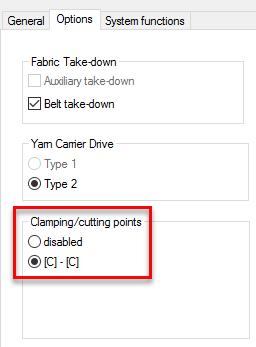
Do not clamp and cut the threads.- [C]-[C]
Use the units of collecting clamps on the left and right side. - Holding-Down Jacks control column
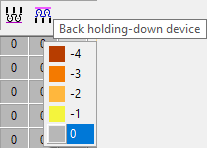
- Allocate a value for the position of the holding-down jacks.
The higher the value, the further the jacks are pulled back (opened).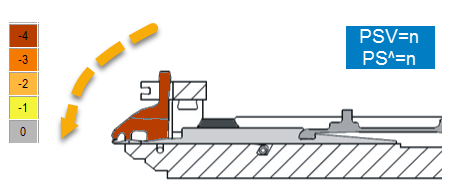
- Pisador delante, pisador detrás
Entry "E" for an extra row in the stitch length table
PTS controls the behavior with stitch length change within a row
There are two new entries for different stitch lengths in the PTS column of the Stitch Length Table:
- Keine Eingabe =
The different stitch length will be ignored. Only with machines without PTS / NPJ
 - E = Extra Row
Areas with this different stitch length will be shifted to an additional, separate row.


Float and Lock modules for Bc
- Optimized Float and Lock modules in order not to knit into the belt take-down by RS20.
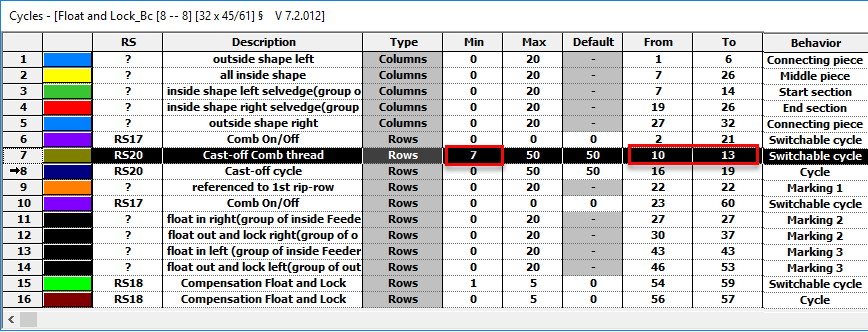
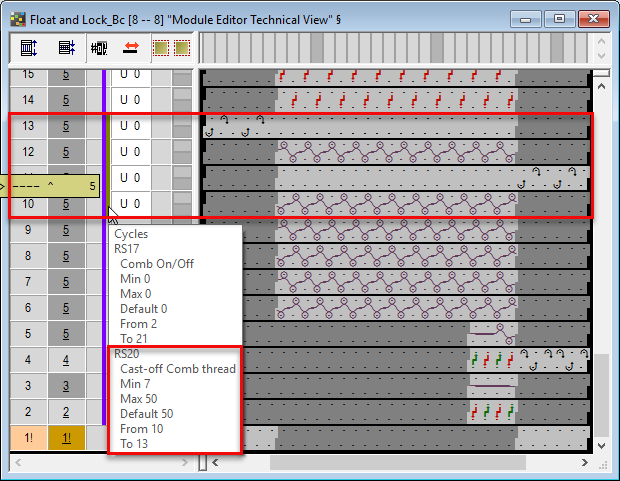
- Cast-off rows before RS20 within a switchable cycle
- Execute rows 10 - 13 only if RS20 ≥ 7 (Min = 7)
- Do not execute rows 10 - 13 if RS20 < 7 (Min = 7)
Comb thread will only be casted-off after the cycle.
- 2 new stitch lengths for the casting-off cycle in order to set the stitch length more flexible:
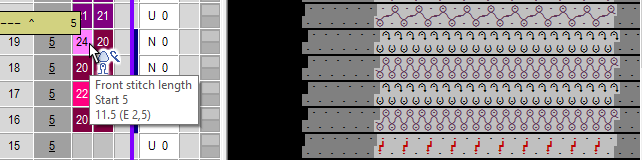
- Cast-off cycle Bc front
- Cast-off cycle Bc rear
 Technique / Knitting-in all yarn carriers before the start (1 piece) / Float and Lock_Bc [8 -- 8]
Float and Lock modules for fabric piece transitions by RS17
- Additional Float and Lock modules
- by RS17
- for optimal parking positions (YDopt)
- for W machines with using the presser feet
- Technique / Knitting-in all yarn carriers before the start (1 piece) / Float and Lock_Bc [8 -- 8]
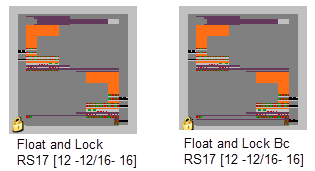
- Float and Lock RS17 [12 -- 12/16 -- 16]
- Float and Lock_BC RS17 [12 -- 12/16 -- 16]
Protection Thread Module for Bc Machines
- Automatically by Global Pattern Parameters
e.g. globalparameters_812_bc.mdv - Time for Machine Stop extended to 5 sec
- Input possibilities for #69 extended to 8
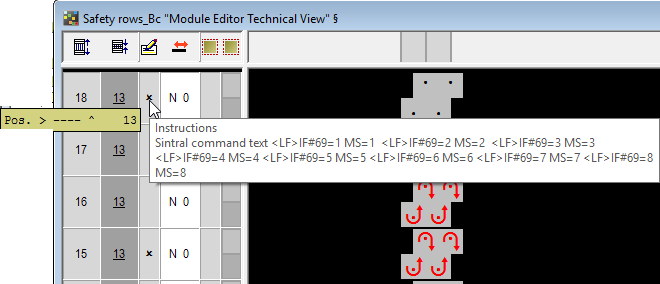
- Sintral Command in PRINT:
<LF>IF#69=1 MS=1 <LF>IF#69=2 MS=2 <LF>IF#69=3 MS=3 <LF>IF#69=4 MS=4 <LF>IF#69=5 MS=5 <LF>IF#69=6 MS=6 <LF>IF#69=7 MS=7 <LF>IF#69=8 MS=8 - #69=n carriage stops for n seconds.
- Technique / Special fabric pieces / Protection rows (without comb) / Protection rows_Bc
4 Modules with Y-CR0:
Float and Lock without clamping and cutting
- Float and Lock Y-CR0_Bc [8 – 8]
- Float and Lock Y-CR0_Bc [12 – 12/16 – 16]
- Float and Lock Y-CR0_Bc [0 – 8]
- Float and Lock Y-CR0_Bc [0 – 12/0 - 16]
- In the module group Technique / Knitting-in all yarn carriers before the start (1 piece)
ADF 330 ki BcW
| Type | Gauge | Standard Equipment |
|---|---|---|---|
ADF 330-32 ki Bc W | 840 | E 7.2 mg |
|
The gauge E10.2 is supported:
- ADF 830-24 ki W
Classification822 - CMS 830 ki
Classification828

ADF 530-32 ki BcW knitrobotic is supported:
ADF 530-32 ki BcW knitrobotic
Classification 841
E7.2 KW
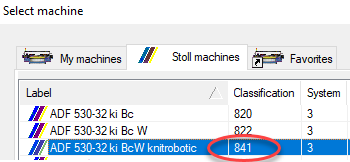
How to insert a knitrobotic command into the pattern:
- 474
- Select ADF 530-32 ki BcW knitrobotic, Classification 841.
- 475
- Prepare the pattern areas for the insert parts.
For example: Tubular Pocket - 476
- Create CA for the upper rows of the pocket.
- 477
- Open the context menu at the desired position.
/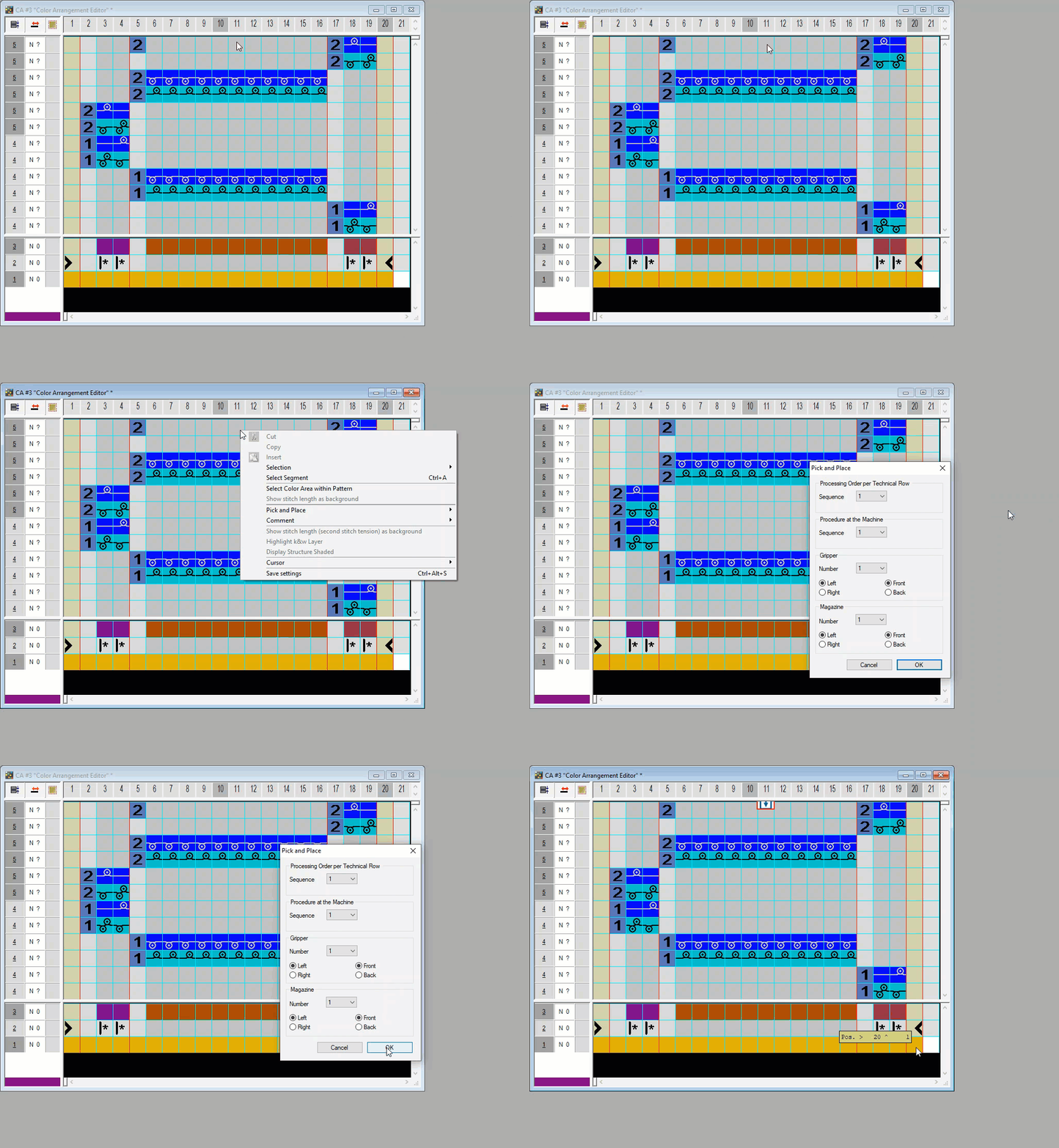
/ context menu is also available in the symbol view. - 478
- Make the desired settings in the Pick and Place dialog box.
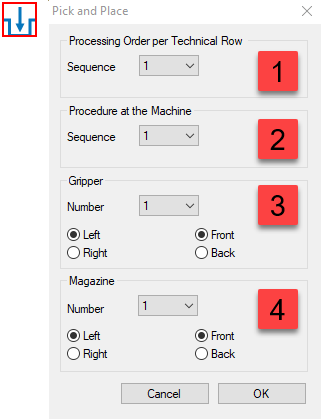
(1)
Specify the order within the technical row.
(2)
Select the programmed insert procedure.
→ Sintral:PPMOVE1=353
(3)
Select the gripper unit for the insert procedure.
Front or rear position at the carriage
Left or right position at the carriage
→ Sintral:PPGRLV1
(4)
Select the magazine with the insert parts.
Front or rear position at the machine
Left or right position at the machine
→ Sintral:PPBOXLV1 - 479
- You can correct the settings in the Pick and Place dialog box via the / context menu.
- 480
- Start the Technical Processing.
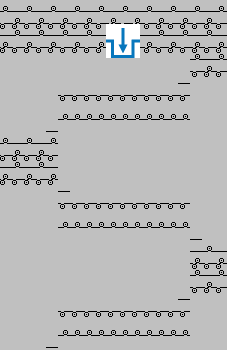
- The technical row presentation shows the insert position within the pattern.
- Sintral command in the allocated knitting row:
316 >> S:<1-><B>A(3)-0/<1-><A>AH(11)-H(12)/<1-><B>0-Y; YX:=D/=C/=D; S1 Y-3A:MA[<JA<1->]; S2 Y-14A:A; S3 WMF1 WBF2
PPGRLV1; PPBOXLV1; PPMOVE2=353;
Basic Knit & Wear Collection from STOLL
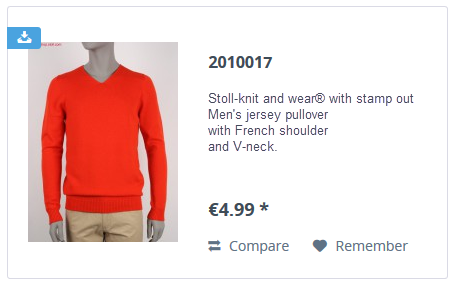
- Selection of k&w sweaters with different types of shoulder
- Stamping-out k&w manually
- High flexibility for programming k&w
- Fast and simple editing of k&w patterns
- Clear structure of the knitting program with direct access to the knitting technique
- https://patternshop.stoll.com/shop/pattern/?p=2&o=1&n=12&f=377