Border Processing Jacquard / Net-end
I. The ways of border processing with adapted Jacquards (yarn bridges):
Procesamiento de bordes
En base al dibujo y al revés de Jacquard insertado eventualmente sean necesarios ajustes del revés de Jacquard en relación a la dirección del carro en el borde.
Example:

- Border processing depends on the carriage direction
- The borders of the left and right will be corrected according to the carriage direction.
- The module of the jacquard back is repeatedly inserted up to the quantity of needles, which is entered under allowed stepping.
- 1
- Open the Border Processing Jacquard / Net-end dialog box via the menu.
- The dialog box appears.
Se recomienda ejecutar el procesamiento de bordes y el final de red consecutivamente porque la muestra es modificada por el procesamiento de bordes.
Esta modificación posiblemente requiera una inserción de un módulo Fin de red.
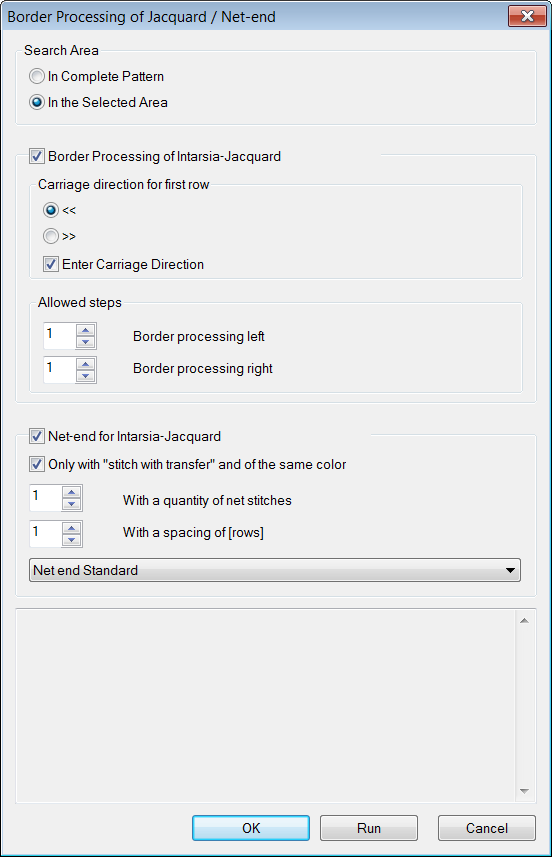
| Function | ||||
|---|---|---|---|---|---|
Jacquard Border Processing | |||||
Search Area | |||||
|
| In complete pattern | Edit the border processing of the Jacquard fields within the whole pattern. | ||
| Within the selected area | Border processing only of the Jacquard fields within the selected area. | |||
| |||||
| Carriage direction for first row | ||||
| Carriage direction to the left for the first row of the Jacquard field | ||||
| Carriage direction to the right for the first row of the Jacquard field | ||||
| Switching carriage directions for the left and right border will be inserted into the pattern. | ||||
Allowed Stepping | |||||
| Border processing left | Setting for allowed stepping by needles at the left border | |||
| Border processing right | Setting for allowed stepping by needles at the right border | |||
| |||||
| |||||
Processing of the net end | |||||
| |||||
| The following requirements have to be fulfilled:
| ||||
| |||||
| |||||
|
| With a quantity of net stitches | Specify the quantity of net stitches at the Jacquard back from which the selected module is to be inserted.
| ||
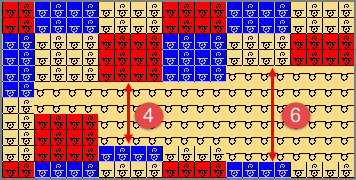
| With a spacing of [rows] | Quantity of SJ rows interrupting the Jacquard (space)
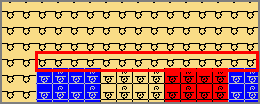
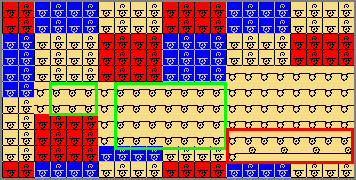
Example: without net-end
Example:Setting 5 [rows]
| |||
|
| Selection of the module for net end
| |||

 : Multiple selection is possible.



- 2
- Make the desired settings under
 .
. - 3
- Deactivating the
 function.
 - 4
- Confirm the settings with the Apply button.
- The dialog box will not be closed.
- 5
- Deactivating the function.
- 6
- Make the desired settings under then.
- 7
- Confirm the settings with the OK button.
- The dialog box is closed.
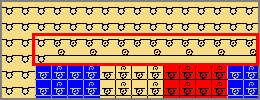
Insertando el módulo para el fin de red, se evita que las mallas transferidas hacia delante transparenten.