Step 4: Generate k&w file
For generating the k&w file, the k&w arrangements must be determined.
Determine k&w arrangements

- 1
- Press the Determine k&w arrangements button.
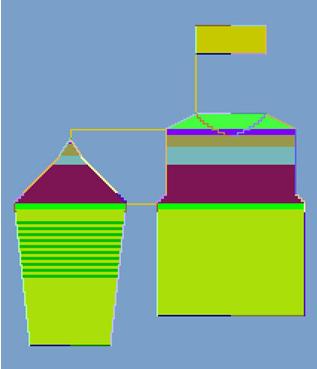
|
Key |
Function |
|---|---|
|
Determine k&w arrangements |
By pressing the Determine k&w arrangements button, the shapes are checked and the corresponding knitting sequences are entered in the k&w file. |
Exchange k&w Arrangement
- 1
- Allocate the alternative k&w arrangement for the shoulder gore to the shape.
- 2
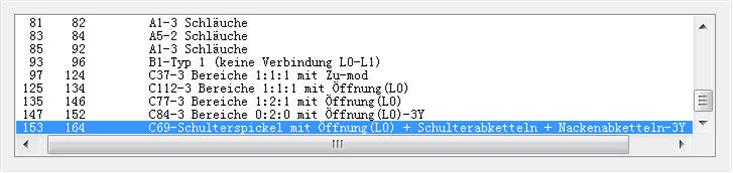
- Exchange k&w Arrangement
- 3
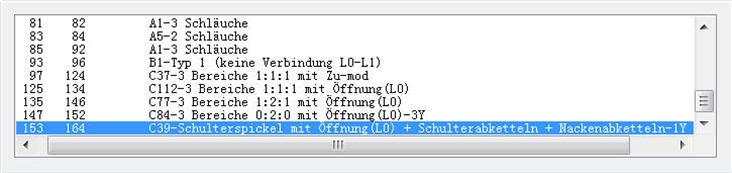
- Exchange the k&w Arrangement C69- Shoulder gore... with C39- Shoulder gore...
- 4
- Both sequences generate shoulder gore with opening (L0) + shoulder binding-off + neck binding-off.
- Difference:

- The sequence C69 will be knitted with three yarn carriers (-3Y).

- The sequence C39 with only one yarn carrier (-1Y).
|
Process |
C69 -3 yarn carriers |
C39 -1 yarn carrier |
|
Benefit: |
fast sequence, receiving of the yarn carriers by the remaining narrowing, no premature knitting-out of the yarn carriers necessary. |
Gore steps are maintained, flat shoulder gore possible. |
|
Disadvantage: |
Shoulder steps are adapted, shoulder gore looks edged. |
Slow sequence, yarn carriers of the remaining narrowing must be knitted-out prematurely. |
- 5
- After exchanging the k&w arrangements determine newly the k&w arrangements
- 6
- Save the kaw file via the / menu or using
 .
. - 7
- Close the Shapewizard dialog box.
Initialize
When changing the settings or correcting the shape, the k&w file must be newly determined.
|
Key |
Function |
|---|---|
|
Initialize |
The determined k&w arrangements are deleted and the shape parts are reloaded. |
- 1
- Determine newly the k&w arrangements
- 2
- Save the k&w file again.
- 3
- Close the Shapewizard dialog box.
To the next step 4: Create basic k&w pattern