Apply shape and insert Jacquard
I. Placing the shape in the pattern:
- 1
- Load shape via / .
- 2
- Activate the
 symbol and position the shape if required.
II. Cut out shape and insert Jacquard .
- 1
- Cut-out the shape with the
 button in the Steps of Processing toolbar.
 - 2
- Call up the Jacquards dialog box via the / menu.
- 3
- Create a row selection of the motif height.
- 4
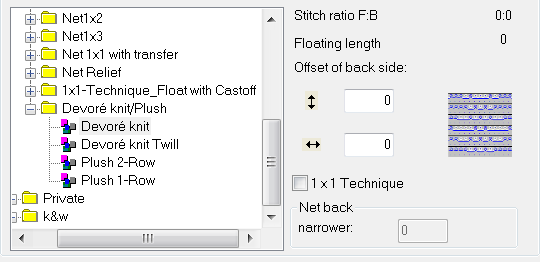
- Select the jacquard generator under the section / and insert with Apply.
- 5
- Change the color sequence if necessary.
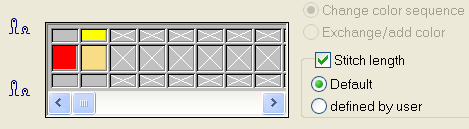
The color for the binding thread has to be the leading in the color sequence.
- 6
- Activate the Stitch length checkbox.
- Thereby the stitch length available in the Jacquard module will be applied to the pattern.
- 7
- Close the dialog box with OK.
The Devoré knit Jacquard module causes the pattern to be processed on the rear needle bed only. The front knitting systems can execute all the standard functions.