Modify lokal k&w Arrangements
You have to adjust all k&w Arrangements determined by the Shapewizard to the Intarsia knitting sequence.
I. Adjust lokale k&w Arrangements:
- Shape with its k&w Arrangements is loaded in the Symbol View [Basic].
- 1
- Switch the presentation in the Symbol View with
 or
or  .
. - 2
- Toggle on the
 control column.
- The determined k&w Arrangements are displayed.
- 3
- Copy the desired Stoll Standard k&w Arrangements.
- 4
- Open the copy of the A1-3 tubulars k&w Arrangement by double click.
Example: A1-3 tubulars
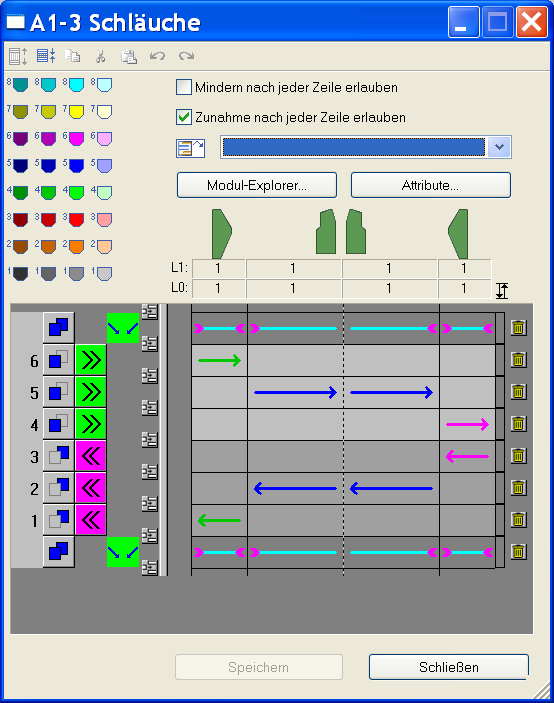
- 5
- Modify it according to the desired Intarsia knitting sequence:
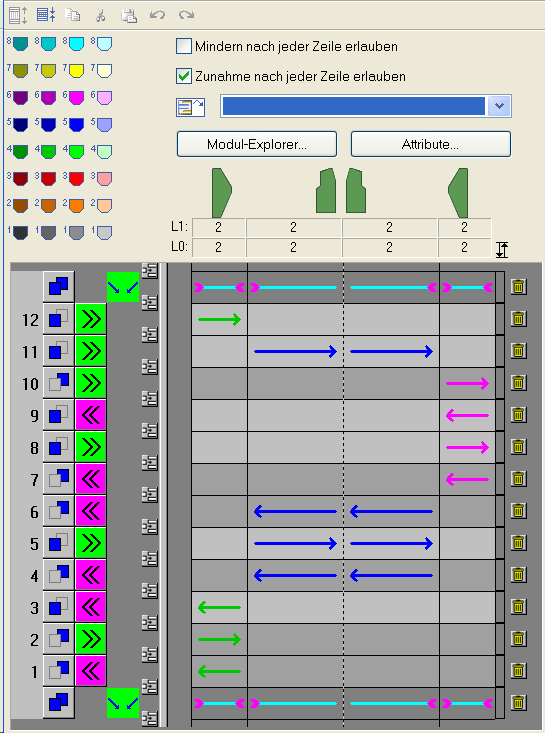
- 6
- Copy the C37-3 areas 1:1:1 k&w Arrangements and open them by double clicking.
Example: C37-3 areas 1:1:1
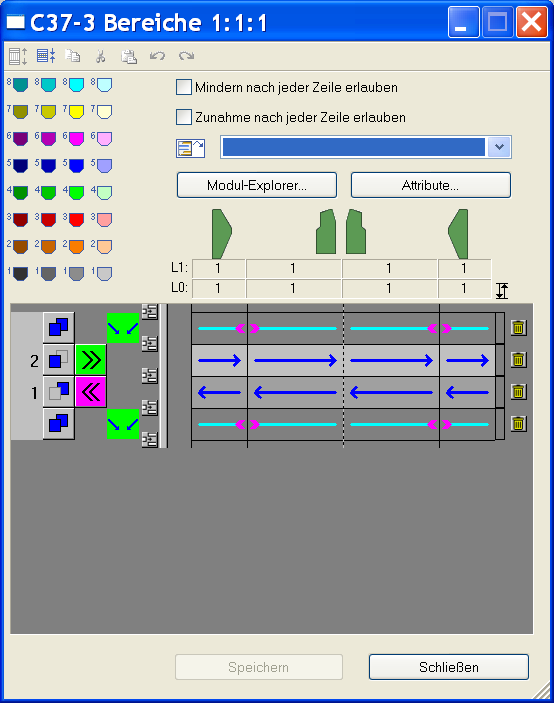
- 7
- Modify it according to the desired Intarsia knitting sequence:
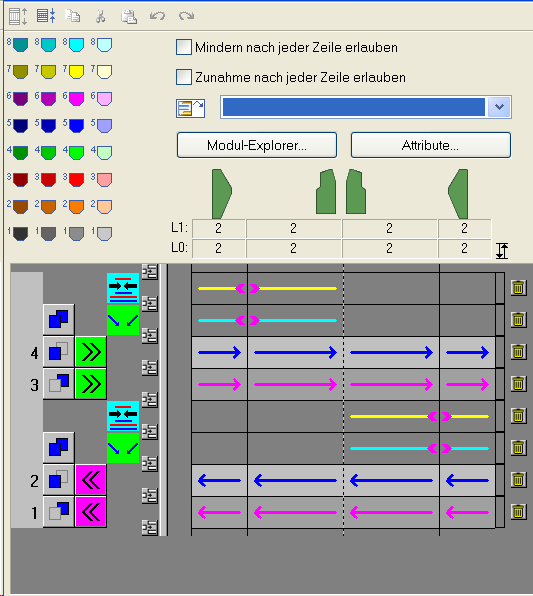
- 8
- Copy and modify all the other k&w Arrangements following the same procedure.
- A5-2 tubulars
- B1-Type1 (no connection L0-L1)
- C11-3 areas 1:1:1 with gore (L0)
- 9
- Overwrite all k&w Arrangements from the shape with the X Standard k&w Arrangement.
- 10
- Draw in the modified k&w Arrangements in the corresponding rows manually.