Generate your own container module mirroring for fading out
I. Generate k&w fade-out module:
- 1
- Call up the New module dialog box via the / / menu.
- 2
- Make settings:
- Module names: xxx_0<
- k&w option
- Specify width / height in stitches.
- Basic pattern
Result:
The module will be presented in k&w technique: The width in 1x1 technique and the height in complete rows.
- 3
- Confirm settings with OK.
- The Properties of: XX dialog box appears.
- 4
- Open the ones of the tab and make settings:
- 5
- Confirm the settings in the dialog box with OK.
- 6
- Draw the desired structure with knit and wear binding elements for layer L0 in the Module editor.
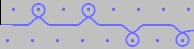
- When drawing with the knit and wear binding elements, the knitting and the column layer are automatically taken into account.
- 7
- Close the Module Editor with
 .
.
- The module is saved under New Modules in the .
II. Generate Container Module Mirror:
- 1
- Call up via the / / menu.
- The New container module mirroring is displayed.
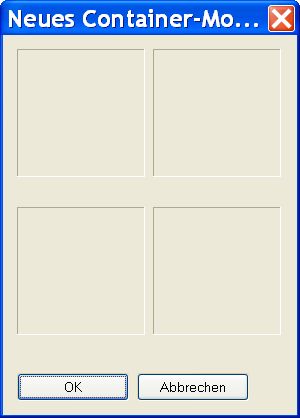
- 2
- Drag a generated structure module onto the lower left position of the New container module container using Drag & Drop.
Only "Non-mirrored" modules that are saved in the Module Explorer of Database can be inserted.
- Only the original module is saved in the Module Explorer of Database.
- The other modules are automatically generated and displayed in the mirrored positions.
- If the original module contains the name ending _0<, the name endings for the automatically generated modules will be generated automatically.
- Mirrored modules are automatically marked with the A symbol.
- 3
- Click the OK button.
- The module is saved to the New Modules module group of the Module Explorer of Database.