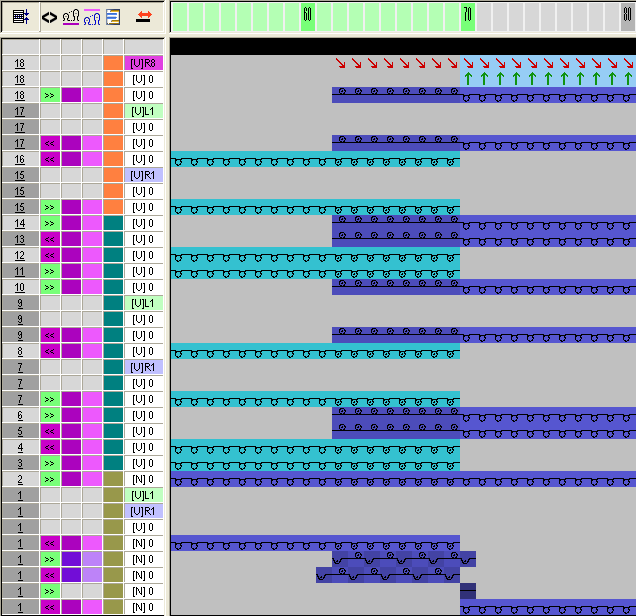
Generate Color Arrangements
I. Generate a Color Arrangement for picking up the overlapping area:
- 1
- Select the first two pattern rows of the overlapping area via the row selection bar.
- 2
- Click the
 icon in the toolbar.
 - The Color Arrangement Editor appears with the search colors existing in the basic motif.
- 3
- Modify the original CA:
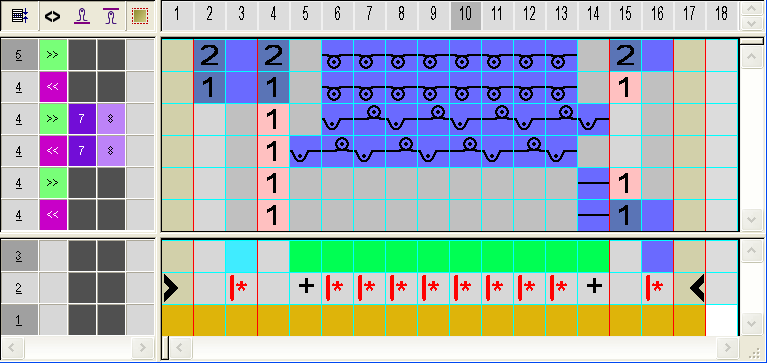
You can define other stitch tensions for the pick-up of the tubular trimming.
- 4
- Close the Color Arrangement Editor with
 .
.
- CA will be saved under local Color Arrangements.
The CA is entered in the control column of the first two pattern rows of the overlapping area.
II. Generate Color Arrangement for the overlapping area:
- 1
- Select the next two pattern rows via the row selection bar.
- 2
- Click the icon in the toolbar.
- 3
- Modify the original CA:
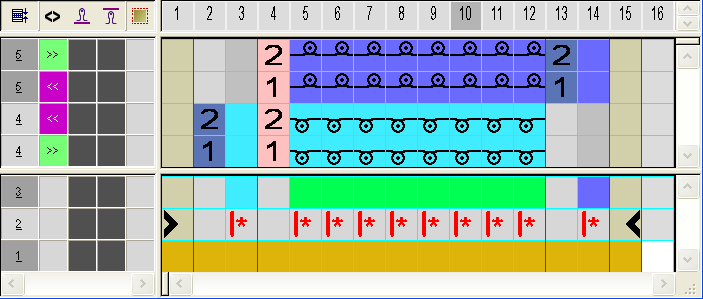
- 4
- Close the Color Arrangement Editor with .
- 5
- Enter CA in the control column of the next six pattern rows of the overlapping area.
III. Generate Color Arrangement for the end of the overlapping area:
This Color Arrangement contains the transferring outward for the following tubular trimming.
- 1
- Select the last two pattern rows via the row selection bar.
- 2
- Click the icon in the toolbar.
- 3
- Modify the original CA:
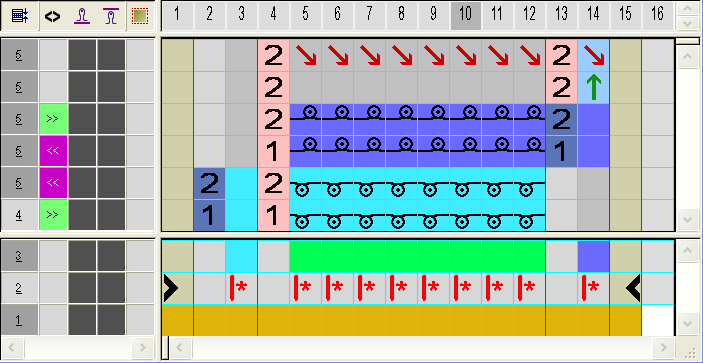
- 4
- Close the Color Arrangement Editor with .
- CA is entered in the control column of the last two pattern rows of the overlapping area.
IV. Expanded pattern: