Create a Pattern without Shape and Open the shape - Variant
I. Generate pattern without shape:
- 1
- Generate a new pattern via or with
 .
. - 2
- Select Basic Pattern (pattern without shape) and in the New Pattern dialog box.
- 3
- Select machine, setup type and gauge.
- 4
- Open the Module Explorer of Database with the Module Explorer... button.
- 5
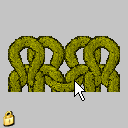
- Select the 2x1 Rib_double jersey module under Stoll / Standard / Ribs and drag it into the selection list for the basic pattern.
- 6
- Select 2x1 under Start.
- 7
- Close the New Pattern dialog box with Generate Design Pattern.
II. Position shape on the pattern:
- 1
- Position the shape on the pattern via / .
- 2
- Click on the
 symbol.
 - 3
- Position the shape in a way that it starts with Rear stitch at the left edge and with Double jersey stitch at the right edge.
The total width has to match the ribs of the 2x1 start.
The outer edges must have two left stitches each after cutting-out the shape.