Generate a fade-out module
If another color than the default color (#31) is used for the basic color = motif thread, then a private fade-out module is to be created with the used color and it is to be allocated to the shape edges.
Generate module:
- 1
- Position the cursor in the motif on the basic color (motif color) and select a stitch.
- 2
- In the Module toolbar Standard click the
 key and Neues Modul aus Selektion erstellen.
 - 3
- Save the module to the database.
context menu - 4
- In the shape editor, in the tabs allocate the module of the Module Explorer of Database to the shape edges using drag-and-drop.
- 5
- Under General set .
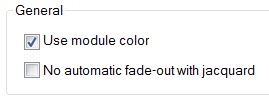
The module color for the fade-out and the motif thread color have to be identical.