Create the shape in the ShapeSizer and open it in the pattern
Open shape and work it out in the ShapeSizer:
- 1
- Open the ShapeSizer program via the / menu.
- 2
- Open the desired shape in the overview with double click.
- or -
Select the shape and press Continue >.
- The next window of the ShapeSizer appears.
- 3
- Set the measure unit and the stitch density.
- The measure unit and the stitch density are used for further editing.
- 4
- Open the next dialog window with Continue >.
- 5
- Generate basic size in the < * 6 > column.
- 6
- Open the next dialog window with Continue >.
- 7
- Enter size specifications.
|
No. |
Function |
|---|---|
|
1 |
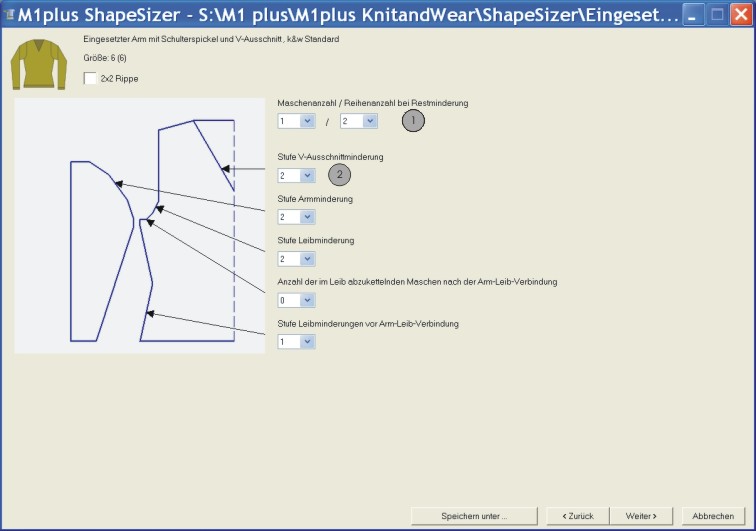
The number of stitches present in the end line must be transferred into the body piece.
|
|
Thereby, the stepping of the remaining narrowing can be set. Also the number of knitting rows between the narrowings. | |
|
2 |
Narrowing stepping in the V-neck |
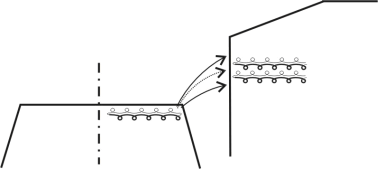
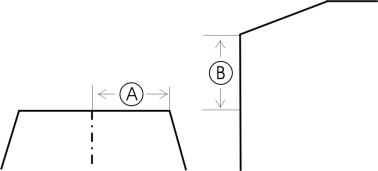
Possible settings for remaining narrowing
|
Stitches (A) |
Rows (B) |
Function |
|---|---|---|
|
1 |
1 |
With the remaining narrowing 1 row in the body is knitted on L0 and then 1 stitch (L0+L1) is narrowed from the sleeve. The ratio between sleeve (A) and body (B) is 1:1. |
|
1 |
2 |
With the remaining narrowing 2 rows in the body are knitted on L0 and then 1 stitch (L0+L1) is narrowed from the sleeve. The ratio between sleeve (A) and body (B) is 1:2. |
|
1 |
1-2 |
With the remaining narrowing two rows in the body are knitted on L0 and one stitch (L0) of the sleeve is narrowed. Then one row (L0) is knitted and one stitch (L1) is narrowed. The ratio between sleeve (A) and body (B) is 1:3. |
|
2 |
1 |
With the remaining narrowing one row of the body is knitted on L0 and then two stitches (L0+L1) of the sleeve are narrowed. The ratio between sleeve (A) and body (B) is 2:1. |
|
2 |
2 |
With the remaining narrowing two rows of the body are knitted on L0 and then two stitches (L0+L1) of the sleeve are narrowed. The ratio between sleeve (A) and body (B) is 2:1 (=1:1). |
|
2 |
1-2 |
With the remaining narrowing two rows of the body are knitted on L0 and two stitches (L0) of the sleeve are narrowed. The ratio between sleeve (A) and body (B) is 2:1,5 (=1:1). |
- 8
- Open the next dialog window with Continue >.
- If the size table has not yet been saved as an shz file, then a window for saving the data now appears automatically.
- 9
- After saving the size table, the next dialog window appears.
- or -
Open the next dialog window with Continue >.
The selected size will be saved as shp file to the directory and the data is displayed in the dialog window.
- 10
- Open the element to be changed under :
- Front
- Back
- Sleeve
- Collar
- 11
- Carry out changes in the Shape Editor:
- Narrowing type + narrowing width
- Widening type + widening width
- Fade out + fade out width
|
|
|
|---|---|
|
V-neck above |
V-neck underneath |
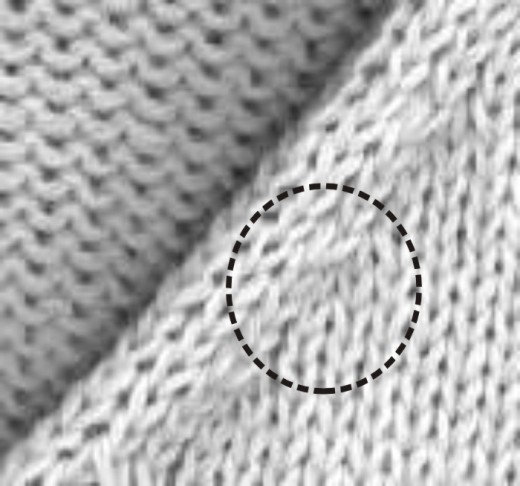
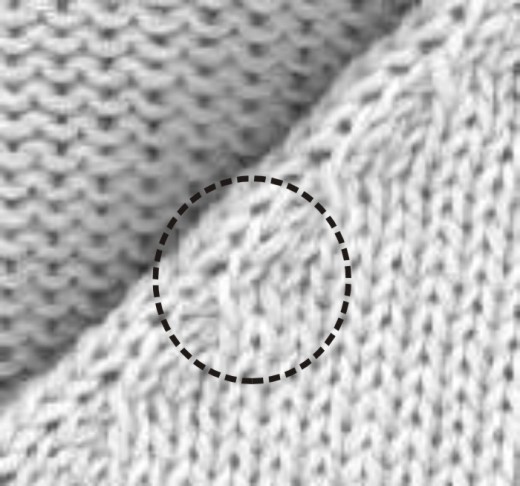
Changes in the reference size are also used for the other sizes.
- 12
- Open the next dialog window with Continue >.
- k&w Arrangements are determined and saved as kaw file in the same directory.
- 13
- Press the
 key with the activated checkbox.
- The kaw file is laid onto the active pattern.