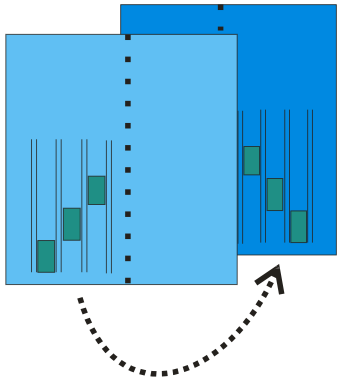
Possibilities in the Mirror k&w Design to Knitting Layer L1 dialog box
I. Apply a pattern element from the front (L0) to the back (L1):
You can apply the design of layer 0 (front) to layer 1 (back) in order to generate the pattern more easily.
- The design of the layer 0 is created only with mirroring modules.
- 1
- Run the design creation help functions via the / menu.
- 2
- Click on the checkbox .
- without selection
The entire pattern design of the layer L0 is applied to the layer L1. - with selection
Only the selected area of the layer L0 is applied to the layer L1.
- 3
- If necessary, move the motif in the back vertically in relation to the front via the input field.
- Specified number without sign: Pattern design by n pattern rows to the top.
- Specified number with negative sign: Pattern design by n pattern rows to the bottom.
- 4
- Activate the option Module, Color or both.
- 5
- Carry out with apply.
- The design is applied from the layer L0 to the layer L1.
A mirrored module is inserted with the same racking direction.
II. Mirror back on vertical center axis:
- 1
- Run the design creation help functions via / .
The checkbox is active.
- 2
- Activate the checkbox.
- 3
- If necessary, move the motif in the back vertically in relation to the front via the input field.
- 4
- Carry out with apply.
- The design and the modules are mirrored on the center axis and applied to the back.