Create shape: Raglan with neck gore
I. Generate a front and back in the Shape Editor:
The shape elements and the k&w file (shape with k&w Arrangements) must be saved in the same directory.
- 1
- Open the shape editor via /.
- 2
- Select a k&w ... entry under .
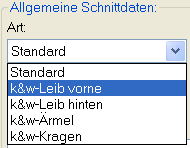
- 3
- Set to Stitches.
- 4
- Activate
 under .
 - 5
- Specify starting width.
- 6
- Insert the entry field for edge lines with the
 Add new line at end button.
 - 7
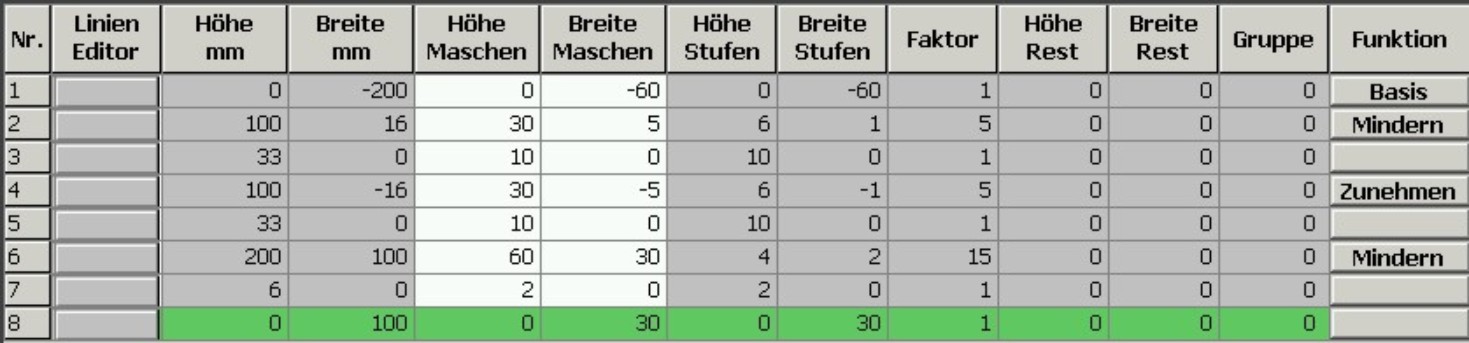
- Open the table with Left Lines and enter the values for the front and the back.
Front / Back
- 8
- Allocate the desired attributes Widening and Narrowing to the edges under .
Generate a shape for the back with the same specifications as for the front.
II. Insert the neck gore element in the front:
- 1
- Open the Raglan Front shape.
- 2
- Generate a new element in the Shape Editor with
 .
. - 3
- Select the Gore entry in the section list.
- 4
- Specify the coordinates for the neck gore.
Neck gore in the front

- 5
- Define the distance to the or to the .
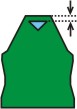
Do not connect the gore element to the end line.
III. Generate the element for sleeve in the Shape editor:
- 1
- Generate a shape for the sleeve.
Sleeve

- 2
- Allocate the desired attributes Widening and Narrowing to the edges under .
After the last narrowing, at least two stitches must still be knit, otherwise the last narrowing will not be performed.
IV. Generate the element for the collar in the Shape Editor:
Stand-up or turtleneck collar
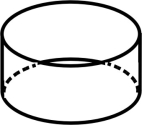
Front of Collar / Back of Collar

- 1
- Allocate bind-off to the end line under in the tab.
- 2
- Allocate the single-jersey knitting mode in accordance with the collar shape cut-out or fast cut-out.
- 3
- Save the shapes in the directory created beforehand with / or .
You have to save all shape elements in the same directory.