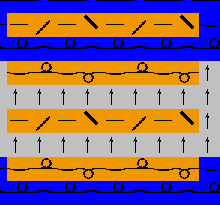
Draw in a Structure after Cutting out
Toggle suspension on and off and draw in a structure into the pattern:
- Shaped Pattern is the active state of pattern.
- 1
- Select in the Pattern presentation toolbar:
- Yarn Color or Yarn Carrier Color for the Background

- Shape Symbols

- 2
- Select in the Pattern Presentation k&w toolbar:
k&w presentation
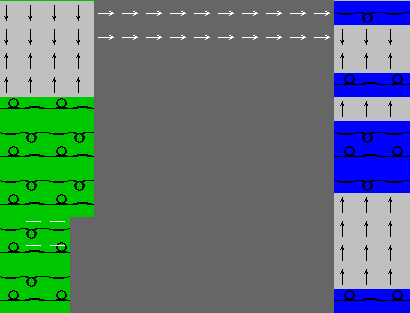
- Symbol View with the symbols for suspension
|
|
Function | |
|---|---|---|
|
|
Direction of fading out the suspending rows to the top | |
|
|
Direction of fading out the suspending rows to the buttom | |
|
|
| |
|
|
Aligning symbol for folding in and out within the shape to the left | |
|
|
Aligning symbol for folding in and out within the shape to the right | |
|
|
Aligning symbol for folding in and out within the shape to the left and outside the shape |
|
|
|
Aligning symbol for folding in and out within the shape to the right and outside the shape | |


- 3
- Select in the Pattern Presentation k&w
 toolbar.
- The suspending rows will be toggled off in the Symbol View [Basic with shape].
- 4
- Select further presentation options in the Pattern Presentation k&w toolbar if desired.
- 5
- Select the desired structure module and draw it in:
- Cables
- Aran
- Petinet and so on
Result:
The modules drawn in will be placed on a knitting row of the corresponding knitting layer.
The suspending rows will not be skipped if these rows are not faded out.