How to Choose the Product Variant
|
Variant |
|
|
|
|
Download |
https://software.stoll.com/createplus/software_updates/index.html |
http://software.stoll.com/createdesign/software_updates/index.html |
http://software.stoll.com/createlite/software_updates/index.html |
|
Tasks + Program Sections |
|
|
|
|
|
- |
| |
|
|
- |
| |
|
|
|
| |
|
|
|
| |
|
|
|
| |
|
User |
|
|
|
|
Knitting Programs + Machines |
For all STOLL flat knitting machine of the generations OKC, EKC and CKC |
|
For all STOLL flat knitting machine of the generations OKC, EKC and CKC |
|
Hardware |
System Requirements | ||
|
License |
|
|
|
|
|
| |
|
The purchase of a CREATE PLUS license entitles you to use an additional CREATE DESIGN license. Another smart card, which is subject to charge, enables the independent use of both licenses. |
| ||


How to Buy the License for the Desired Product Variant:
- 您需要用到信用卡
 或
或
- 您需要 STOLL 客户网的访问数据
- 您需要 GKS
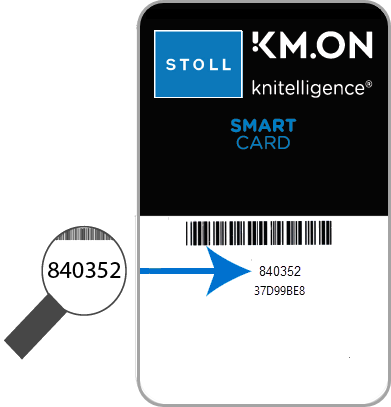 智能卡六位序列号
- 1
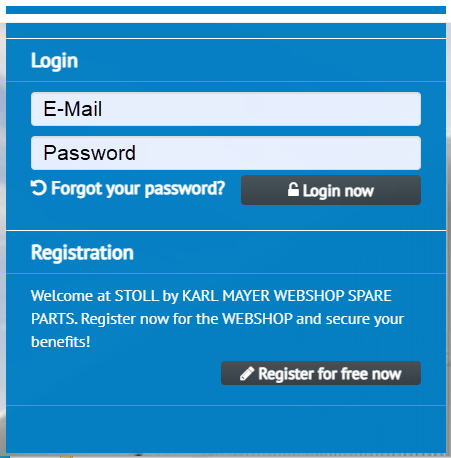
- 使用访问数据再次调用客户网。
- 2
- 输入电子邮件地址作为用户名

- 3
- 输入密码
- 4
- 点开关进入购买页面。
- 购买 GKS 额度页面出现。
- 5
- 输入您的 GKS 智能卡的六位序列号。
- 6
- 如果需要,点信息键了解智能卡状态。
- 额度购买记录
- 7
- 选择所需额度选项。
 250 小时 500 小时 1000 小时
 - 8
- 点继续确认输入。
- 9
- 出现GKS 额度购买确认页面。
- 10
- 勾选复选框接受一般条款和条件。
- 11
- 检查概览并点购买确认。
许可证和额度丢失
STOLL 将不会对丢失许可证和额度提供补偿。
如果智能卡丢失或被盗
如果购买额度时输错卡号
如果邮件错发
一定要注意正确输入卡的序列号。
输入后立即核对卡号。
妥善保管智能卡以免丢失或被盗。
如果智能卡损坏,请联系 STOLL。
- 来自服务提供商ConCardis的信用卡付账付款确认页面出现。

- 1
- 选择付款方式。
- 2
- 所选信用卡的数据编辑框显示出来。
- 3
- 输入信用卡数据并点“购买”进行确认。
- 额度购买结束。
- 您将收到一封电子邮件,内有所购额度的代码。
该额度代码只对特定序列号的智能卡有效,不能转让给任何其他智能卡。