New in V 1.3

- Fixed Shape Points
Shape points with horizontal and vertical dimensioning are considered as fixed and are displayed by a filled rectangle.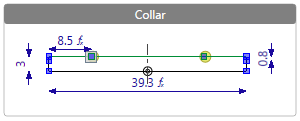
- A dimension can be used horizontally and vertically.
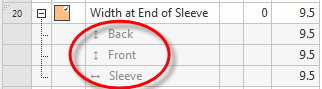
- You can use only one direction of the measure within one fabric piece.
- You can use a measure in both directions within one fabric piece by a formula.
- Adding a new measure together with a new dimensioning within the graphic.
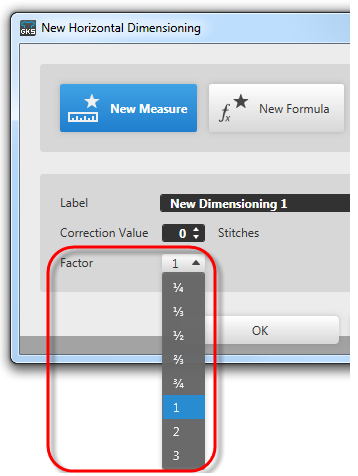
 How to Create a New Measure Graphically
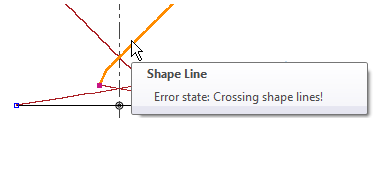
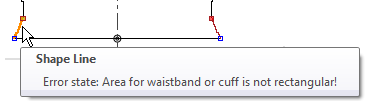
 - Message due to faulty shape lines
- Crossing shape lines
- Diagonal shape line in the area for the start
- New template for the trousers
 shape type
 - Popup menu knitting mode areas within the yarn view How to Edit and Relocate the Knitting Range
- Exact setting of the distance as length measure or by stitch rows
- Graphical setting is canceled
- Multiple selection within the dimensioning view
 and the left mouse button selects all objects within the drawn-up area.
 Drawing Tools
 - Show Symmetry Axis
The option shows the symmetry axis through the point of origine and the endpoint.
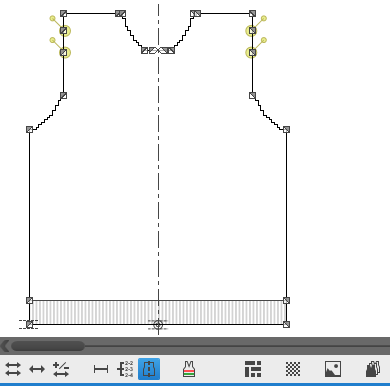 Options of the Dimensioning View
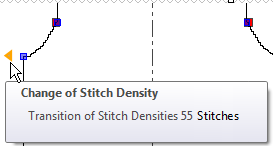
 - Areas of different stitch densities
 Single Shape View
 - Graphical hint to the transition within the dimensioning view
- Display of the widening or narrowing by stitches within the tooltip.
-
Del key
You can delete selected objects within the dimensioning view by the Del key. within the Drawing Tools and within Context Menu
 - You can specify even or odd quantity of rows for each shape line
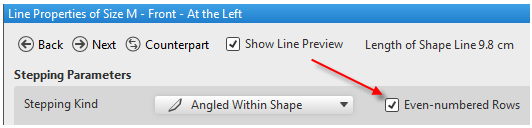 Line Properties
 - Preset modes to finalize shoulder gore areas
 Knit-off Gore Templates (dialog box)
 - Stitch Density of Raw Fabric Stitch Density How to Determine the Stitch Density
|
Before Finishing |
After Finishing |
|---|---|
|
|
|
|
Raw values without shrinkage |
Values after shrinkage |
|
Lower Stitch Density |
Higher Stitch Density |
|
Longer in Measure |
Clothing Size |