What was new in 7.4?
This M1plus software version: V 7.4
M1plus V 7.4 is compatible to the machine operating systems:
- EKC 2.2
- CKC 1.2
- OKC 6.5

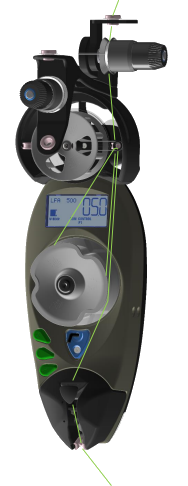
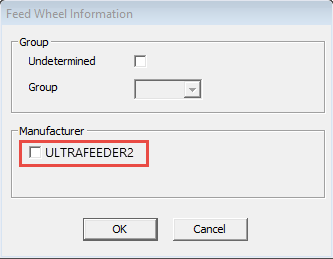
BTSR ULTRAFEEDER 2 available as CAN-bus storage feed wheel:
- MC-Attribute, Registro Opzioni
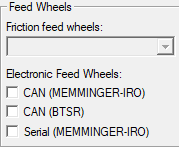
- Setup Editor, Fornitori tab
- Control columnFornitore (colonna di comando)
- Assegnazione dei guidafili (assegnazione del campo del filato)
-
- FF-TRANS with Sintral command MCWS to extend the carriage path
- ff-trans_B_BMS.sin
-
FBEG:PRESS-OFF;
…
<< S:UVSDI./UVSD.I; V0 S1 S2 ML WBF5 MCWS=1-#138
GOTO #123+4
<< S:UVSDI./UVSD.I; V0 S1 ML WBF5 MCWS=1-#138
…
FEND - What was new in 7.2?
- control column
- With certain structure pattern, knitted by the leading S1 and transferred by the following S2, the transferred stitches may be not enough sunken and due to it, the needle latch of the receiving needle may not open.
- For sure transfer, you can force the transfer by a separate carriage stroke.
- You can find the control column in the patterns, modules, Color Arrangements and Modul Arrangements.
- Pseudo yarn carriers for sequences of several patterns with a different quantity of yarn carriers
- You can create Ps yarn carriers in the Yarn Field Allocation dialog box.
- Call up the context menu of a yarn carrier track.
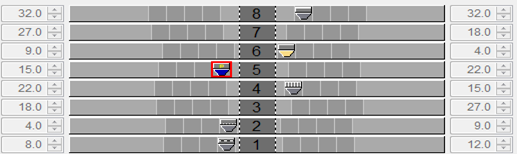
- The Ps yarn carrier appears automatically with the yarn carrier color of the corresponding yarn carrier track.
-
Ps identifier in the Yarn Field Allocation dialog box
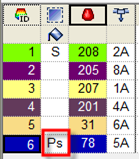
- Der Ps yarn carrier gets automatically the Knit-in before start attribute.
- You can delete the Ps yarn carrier by the context menu.
- Delayed clamping and cutting after the start
- Configuration → Comb, Clamping → Registro pettine, pinzatura
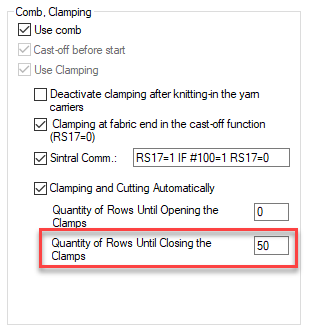
- Yarns of the yarn carriers, which are taken out of the clamp at the start, are removed from the area of the scissors by these knitting rows.
Due to it, no short yarn ends will appear. - You can set the value from 0 - 255 row.
Modified values for delayed opening of the collecting clamp:
- Up to now:
- => 5
- => 0
- Starting with version 7.3.041 and 7.4.012:
- => 0
- => 50
One Variant More of Clamping and Cutting Automatically
Starting with version 7.4.032:
Options in the Configuration / Comb, Clamping dialog box

- Automatic is disabled, therefore define clamping and cutting manually within the control columns.
- Clamping and cutting will be done after start, within the pattern area and at the pattern end.
New!
- Clamping and cutting will be done after start and pattern end only, not within the pattern area.
- The following edit boxes are available if is enabled.
- Quantity of Rows Until Opening the Clamps
- Quantity of Rows Until Closing Clamps After the Start
- Configuration dialog box / Comb, Clamping /Registerkarte Kamm, Klemmen
- Not Sunken Tuck
- Regular tuck and not sunken tuck can be knit by the knitting systems of BMS machines without conversion.
- Enter the desired tuck action into the control column.
- In Configuration / Further Settings, you can enable the 'Knit all technical rows containing the needle action by a system with the system function' option.
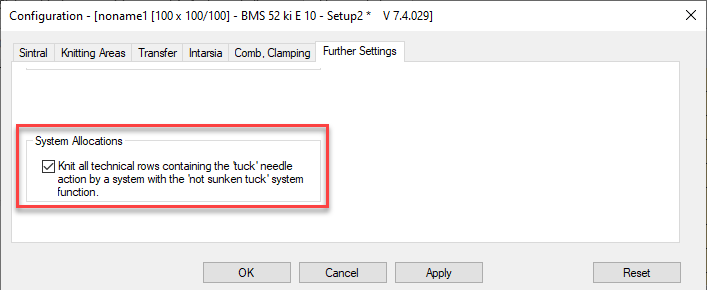
Registro Altre impostazioni - Default setting of system functions
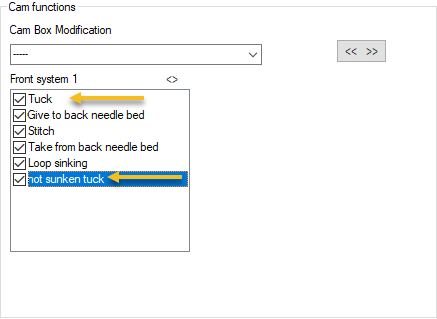
-
 available
The needle can be driven out to the receiving position of split stitches. - Sintral knitting specification !%
Knitting Specifications (BMS) - Control columnFunzione di sistema
- Registro Funzioni del sistema
Reclaiming (PNP)
Before forming a new stitch or transferring, the needle is sunk again when reclaiming, in order to tighten or stretch the "old" stitch.
- Setup Data
PNP (Registro) - Control columns
Pregradazione davanti, pregradazione dietro
Transfer Fixing (Knitting-in) module for knitting-in
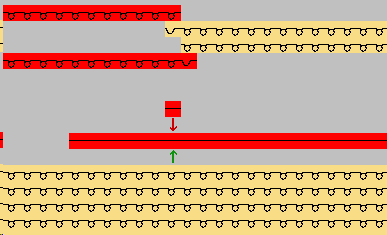
Knitting-in the threads by float with simple intarsia patterns
- In preparation, the first stitch of the color field will be transferred to the opposite needle bed.
- After that, the yarn carrier will be knitted-in by float and the stitch will be transferred back.
|
| ||||
|
|
| |||
|
|
|
| ||
|
|
|
|
| |
|
|
|
|
|
|

-
Windows 10required

-
Windows 11 is supported

- Windows 7 is no longer supported.
- Windows 8 is no longer supported.
- Requisiti hardware