How to Create New Dimensions
Measures
-
Dimensions are length values with names
-
They correspond to a variable with a name and are organized in a table.
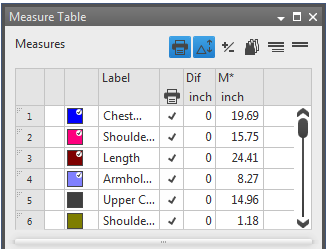
-
A dimension can be used horizontally and vertically.
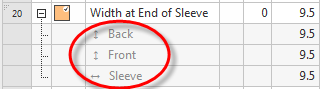
-
You can use only one direction of the measure within one fabric piece.
-
You can use a measure in both directions within one fabric piece by a formula.
-
Dimension types:
-
Independent, direct dimensions:
The value does not change within one size.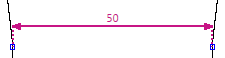
-
Dependent, indirect dimensions (formulas):
Are calculated via a formula consisting of direct and indirect dimensions within one size.
e.g. Height is 1.2 * width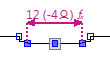
-
separate tables for dimensions and formulas
-
Sub-rows under the corresponding dimension display the use in the fabric piece.
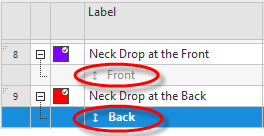
- The Dimensions and the measure unit result from the order analysis.
- As measure unit is set (cm).
- The dimensioned shape is open.
- The Dimensions
 tool window is open.
 Dimensions
 - Open the context menu of the Row No. column of the Dimensions table.
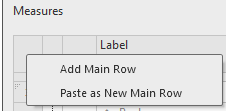
- Select Add Main Row.
- A row with a default designation is added at the bottom of the table.
- Click on the cell of the Label column.
- Rename the designation for the dimension.
- Enter the dimension in the preset measure unit in the M* column.
- The new dimension is available for dimensionings in the shape.
 |
Clean up the table after completion:
Remove unused dimensions.
|
 Possible Following Steps: