Miscellaneous
- You cannot change the machine with the Setup2 Editor open.
- Close the SetupEditor.
- Select another machine in the Select Machine dialog box.
- The type of Setup appears in title bar of the pattern.
- Moving a cell within a Color Arrangement
- The row data will not be copied with moving a cell to an existing row.
- The row data will be copied with moving a cell to a new row of the CA
-
GlobalParameters for following CMS added:
- CMS 502 HP Type 637 (D5)
- CMS 502 HP Type 638 (D6)
- You can move details of a view in a high zoom level with the blank key even if
 is active.
 -
YG-Home before the protection row module (CMS 822 2 pieces)
Yarn carriers are knitting out of the space and locked by protection rows - Distinction of transparent stitch length and no stitch length in the control columns:
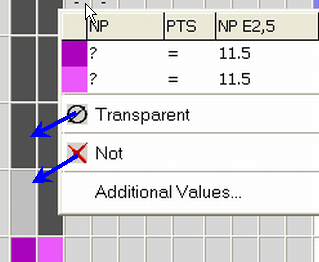
more
- Plating Colors
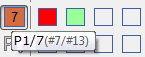
- You can combine up to four colors to one plating color.
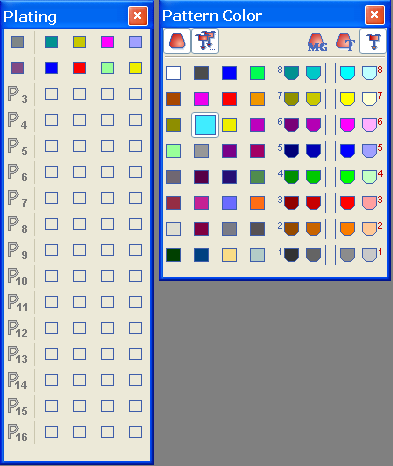
- You can change the representative color of the plating color.
- Use case: Technical textiles
- more
- Exchanging the color of the diamonds in the Argyle dialog box
- With Ctrl and click on a color you can replace this color in the entire pattern element.
- more
- Stitch length on shape edge (
 )
) - You can enter the NPJ and N values in Configuration / .
- more
- If you change the stitch density of a lined shape (*.shv), user defined lines
 will automatically be converted to straight
  .
. - Modifications of the Yarn Field Allocation will be retained even when switching to a previous state of pattern.
- Example: After switching from the
 to the
  state of pattern.
- You can select several yarn fields with the left mouse button pressed in the Yarn Field Allocation.
- The Picture Import dialog box can be moved.
- Use case: Screens with a to low resolution (< 96 dpi)
- more